Brooke Steele

Project Two
Identifying a Specialism
Following my successful placement on Quantum Loop’s Fast Track Development Program, I have been asked to reflect on my progress and the diverse range of skills I’ve developed across several disciplines, including Games Design (Level Design), 3D Art and Animation, Programming, and Audio Development.
During the programme, I explored various industry-standard tools, creative processes, and production workflows, producing a range of experimental outcomes that demonstrate my growing technical and creative abilities. I also researched the work of leading practitioners in the field, using these insights to inform my own practice and to better understand the variety of professional roles within the games industry.
As Quantum Loop moves into the next phase of its talent development initiative, I will now take part in a process designed to help me identify and pursue a specialist pathway. To do this, I will critically reflect on my experiences so far, evaluate my strengths and interests, and decide which area I want to develop further.
Throughout this project, I will carry out a deeper investigation into my chosen field, building on my previous experimentation to develop a more focused understanding of my specialism. The project will conclude with the creation of a professional personal statement and an industry-standard CV, both tailored to a specific specialist role I aim to apply for in an upcoming group project at Quantum Loop.
These materials will not only form part of my formal application for the group project role but can also be used to support my future progression goals, such as UCAS applications, university interviews, or entry into industry-focused higher education courses.
Task One
I will complete a self-assessment where I evaluate both my technical (hard) skills and interpersonal (soft) skills, comparing them to the expectations of the current industry. I will present my findings in a radar chart that visually shows how my current abilities measure up against the skills typically required in professional practice. The chart will cover the four main specialisms discussed in Project 1.
After creating the chart, I will write a critical commentary (around 400–600 words) reflecting on what the results reveal about my strengths and areas for improvement. Based on this evaluation, I will identify which pathway best aligns with my abilities, interests, and future goals. I will justify my choice by referring to evidence from my radar chart, my experiences from past projects, and my career aspirations.
Task Two
Having already identified my specialist area of interest through my previous skills audit and radar chart, I will now focus on developing a deeper understanding of the professional expectations and practices linked to this role.
To do this, I will carry out an independent research report that investigates my chosen specialism within the games industry. My research will explore the core technical and creative responsibilities expected of professionals working in this area, using current job descriptions and industry profiles to support my findings.
Task Three
For my final task, I will produce a short analytical review of three university courses and/or job opportunities that are directly related to my chosen area of expertise. In this review, I will examine the course content, entry requirements, and the potential career paths that could develop from completing each course or securing each role.
I will also compare my own current skills with the listed entry requirements to identify any gaps or areas for improvement within my skillset. This comparison will help me understand what I need to develop further to meet the expectations of higher education providers or employers in my chosen field.
After completing this review, I will create a professional CV and a personal statement that are specifically tailored to my selected specialisation. These documents will not only be used to apply for my desired role in Quantum Loop’s upcoming project, but they will also support me in applying for university placements and future job opportunities once I complete the course.

Selecting A Specialist
The main goal for this task is to demonstrate and articulate my skills in my specialised topic of choice to myself and peers to be able to understand what I need to improve on to be able to meet industry standard. As my specialised field is 2D art and or 2D concept art I can acknowledge the skills I need to be able to join the industry, such as : 2D art skills overall, concept and creativity development skills, teamwork and communication skills and basic games understanding skills. The main reason I have created this chart was to see which skills I think I have obtained and skills I wish to work on in the future by evaluating myself I can show that I understand that I need to work on some skills to improve overall in my field.
2D Specialist Radar Chart

A radar chart is a visual tool that displays multivariate data on axes that radiate from a central point, creating a "spider web" or "star" shape. It is used to compare multiple quantitative variables for one or more data series at a time, making it useful for performance analysis, product comparison, or tracking seasonal patterns. The chart's shape, formed by connecting the data points on each axis, can reveal strengths and weaknesses or show variations between different groups at a glance.
My main Strengths
From the Radar chart I can see that the skills I have scored the highest in the 2D medians such as concept art and creativity and overall 2D creations. This shows me that I have the skills and knowledge in the 2D art sphere such as, basics in art, colour theory, perspective and exaggeration and the main knowledge on making a good character design.
I feel like I am strong in these areas due to my experimentation in 2D as I have understood the fundamentals such as proportion, silhouette's and shape theory, which presents my work stronger as my design will show more uniqueness and more accurate elements to a characters past and what they want to become/who they are as a person.
These strengths have helped my work improve and be industry level as they have aided me in my past FMP projects ; for my first FMP I hand drew and animated concept art and pixel sprites to make my simple game about infecting people more unique with the artistic aspects making me earn a distinction at the end of the first year.
My Main Areas Of Improvement
From the Radar chart I can see that the skills I have scored the lowest in both 3D art and Time management. This shows me that I need to work on improving my 3D art skills, which can be done by learning new software such as 'Maya' and for time management learning how to scale my project and not fall into scope creep and under-bake my games.
These areas need development due to the fact that being able to manage my time in the 2D sphere is crucial as it works like a pipe line, the riggers and animators cant work if the concept artists and base artist haven't finished their work. By working on this I can insure that I won't fall behind on projects.
I have been affected so far due to my bad time management by not fully finishing my FMP project as the coding took longer than I thought, due to this the game is playable yet broken meaning players will not experience the game how I intended. To prevent this from happening again I will map out more each stage and give a better estimate on how long each task will take.
I feel like I can improve these skills by learning new was to document projects to be able to give me stricter deadlines and to see where I need to slow down my scope and or add more to that certain task. Doing this will certainly help me imprve in this skill as I will be able to manage my time more properly and not worry about underselling my games.
My Main Set Goals And Next Steps
Some of these skills are important to develop such as : Time management, communication, 3D art and 2D creation as they are the main skills in need to enter the 2D games art industry. While other skills such as , level design, programming and blueprinting aren't as important to me as I need basic knowledge of those skills but not extensive knowledge.
To strengthen my weaker skills I will look at videos and websites that show me the best ways to deal with better communication and time management. Another way to improve my better skills is to practice drawing new things at lest once a week and learn more with 3D software to create better and more high level 3D renders.
I will continue to build my strengths by practicing drawing and art daily form simple sketches to finished fully renders pieces and environments. I will also experiment with other art medians such as : backgrounds, character design, rigging, animation and graphic design to show and improving my art skills in my portfolio.
My timeline on improving my goals is working on task from Monday to Friday while in between school time and homework working on portfolio work such as 2D practices to make sure I can master all 2D medians to be able to have a stronger skill set and portfolio for ether job role or university.
The main insight I gained while creating and writing about this 'Radar chart' is that I need to work on my time management skills and other communication style skills, by doing this I can be for certain sure my skill set overall is high quality as by fixing my main flaws in my specialist field I can enter it easier. This reflection will be seen thought my future work as I will now acknowledge when task should be due better and see how I can manage my time better to finish task in a certain time period to insure I don't fall behind in my work and even be able to complete extra work to make sure I have a distinction at the end of the school year. I hope the changes I see in my next self assessment is my improvement of my communication and time skills going from 3-4 to 4-5 ; this will show my dedication in improving my skills and making sure they are as developed as they can be to make sure the industry I will join will be a smooth entry.

History of Character Design
Character design involves several steps to bring a character to life. First, a concept is developed, including the character’s personality, backstory, and appearance. Then, the character designer sketches rough drawings of the character’s body shape, facial features, and clothing. The sketches are refined until the final design is chosen. Next, the character’s colour palette is chosen to establish its identity. Detailed turnarounds of the character from different angles are created to help animators ensure consistent movement. Finally, model sheets are created with the final design, turnarounds, and notes on the character’s personality and movement style to be used as a reference during the animation process.The roles of character designers and animators in the production process are clearly defined. Character designers create the visual aspect of a character based on a script or description capturing its personality and appearance. On the other hand, animators bring these drawings to life by creating multiple frames that create the illusion of motion. Today, character animation has evolved to merge 2D, 3D, live-action and motion capture with advanced software.
Iconic Designs
Creating iconic designs requires a combination of simplicity, memorability, and uniqueness that resonates with people and stands the test of time. To achieve this, focus on creating a designs that feel purposeful, using elements like a unique silhouette or strong shape language to convey a deeper meaning. The design must be versatile and appropriate for its context, and ultimately be recognized and adopted by its intended audience, transcending its original purpose. Do they stand out from the background charcaters? Do they fit in with the theme or feel out of place? Are the colours appealing? Does their design carry their overall character if they are stong, meak, villanous? And most importantly are they memroable with their design.

World Building

To create interesting and strong world-building, you need to define your world's core concept and rules, then build outwards by asking and answering logical questions of your world and the characters in it. You should start with creating the foundational elements like geography, culture, and history, and then expand to include details like technology, economics, and power structures. Doing this helps create a structure and overall rule for you world on what is normal and what is incorrect in your worlds system. Examples of this can be how Hunger games normalises the concepts of death games as their world is a custom to it. It's important to keep world-building consistent, relevant to your story, and adaptable, as it's an iterative process that evolves as you develop your narrative.
The Importance in good character Design
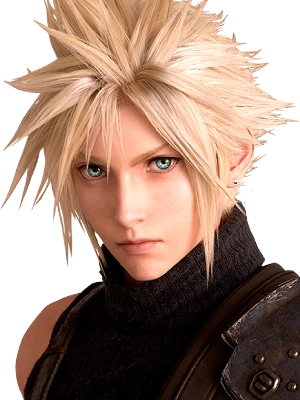
An example of a good character design is Cloud from the 'Final Fantasy' franchise, he has a recognisable design just by looking at his silhouette with his strong hair shape and his massive sword on his back helping him stand out from other protagonist's. Cloud is a good example on how to have a range in shape language but convey who the character is as a person, for example his hair. Cloud's hair had a mix of triangular and circular shape language as while his hair is pointy and sharp the overall shape of this hair is quite compact and circular. This tells me that while Cloud is powerful and dangerous he is on the good side ; comparing him to a similar character type Sora form Kingdom Hearts while from a distance they have the same hair type Sora's to much softer and rounder. This tells me that compared to a character with the same hair type Soar might use less deadly force to win his battles unlike Cloud. Overall this design is strong with the mentioned silhouette and shape language his colours are very appealing and contrast the main villains colours well.
An example of a bad character design is Becky from the 'Tuff Puppy' a children's show by Butch Hartman. Her design has many flaws in it from an audience standpoint and an artistic one ; the main issue is her face shape and layout. For example the shading on her nose makes her nose look more like a hole in her face rather than a dog nose, this could be fixed by either having no shading or using a simple circle to demonstrate light. Another issue is her mouth being too far and looking more like a scar; again, by moving her mouth lower, the visual language can improve while keeping the same features.


This button will take you to my in depth analysis of the game Silk Song by Team Cherry talking about the games : framing, symbolism and colour theory showing my knowledge in those topics.

This button will take you to my in depth analysis of the game Little Big Planet by Media Monocle talking about the games : level design and my overall research understanding the games - gameplay.
Important Skills For Character Design
Shape Theory
Shape theory in art is the idea that the psychological impact of different shapes—circles, squares, triangles, etc.—can be used to communicate meaning, convey personality, and evoke emotions in viewers without words. Circles representing soft kind and small characters like children as the lack of harsh edge's so that the character has only good intentions, examples being characters like Sackboy, Kirby and Mooncake. Triangles representing sinister and colder characters as they have sharp points all-round their designs showing danger, examples being Lemongrab , Alistor and sephiroth. Squares representing strong and reliable characters that can be the anchor of the group from their stability and mindset, examples such as Garnet , Batman and Master Chief come to mind. Yet a design doesn't need to be cohesively one shape it can be a mix to show a range in personally or even a red hearing, think characters such as Freddy Fazbear a round design that is they main threat in the game.
Shape theory is important in character design because it uses shapes to communicate meaning, evoke emotions, and structure a composition without words. By understanding that different shapes have universal psychological associations—like circles for approachability or triangles for danger—artists can intentionally create specific effects, guide the viewer's eye, and tell stories. In character design you want it to be clear for the player who the character is as a person are they the helpful hero, the vengeful villain or the strong support , if it is not clear in a design people might no relate to your character as much. While in some cases having a misleading design can help the character if not explored well or even clear to the player that is the case it might lead the player to be confused on their goals and or morals.

From this design you can tell this character is small sweet yet adventurous from their shape language. While their body is pointy showing that they can take on anything their eyes and head are round shapes showing that mentally they are a good person and kind.
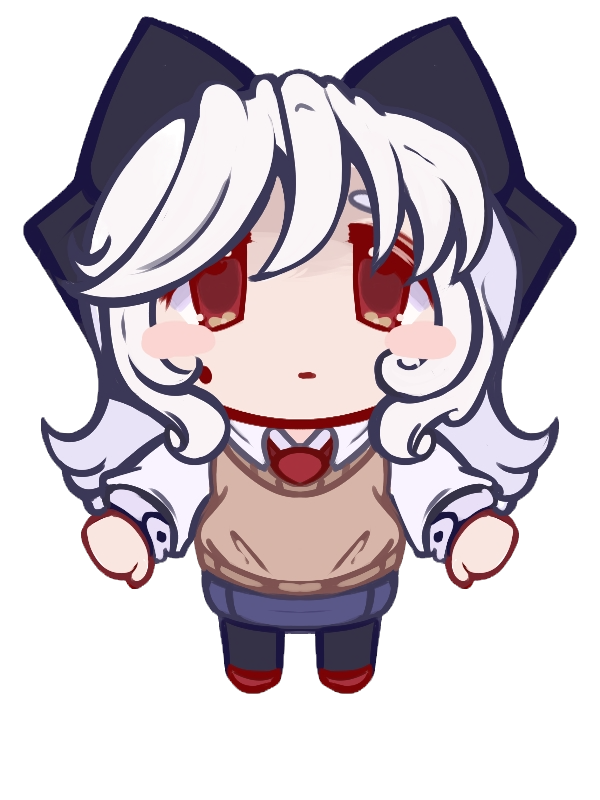
With this characters design while at first you might think they are sweet from their soft edged clothing and head shape overall they have sharp elements all around their design such as her bow, hair and even her eyes have a mix of harsh and soft language with her soft pupils yet triangular eye shape. This shows that her sweet act is a front and deep down she is not as good of a person that she wants you to believe.
From this design you can tell this character is small sweet yet adventurous from their shape language. While their body is pointy showing that they can take on anything their eyes and head are round shapes showing that mentally they are a good person and kind.
Strong Silhouettes
A strong silhouette in art is a clear, readable outline that instantly conveys a subject's identity, mood, and role without relying on colour or detail. It is achieved by balancing simple and complex shapes within the outline to avoid clutter, ensuring each part of the subject is distinct and recognizable. This makes the artwork memorable and understandable at a glance, especially in disciplines like character design and animation. This ties back into shape theory as by exaggerating certain aspects of a character, such as hair, armour , wings and any accessory's you can make your silhouette stronger as you can tell who it is from a distance. A good example of a silhouette is Pikachu form Pokémon as while his design is very simple you can immediately tell how it it from just the silhouette alone ; the use of making his ears very long and pointy compared to this small rounds body helps him stand out from other round Pokémon but most importantly his tail. His tail is exaggerated and is as huge as his body making it the first thing your eye draws to , it also being a unique shape helps with the recognisability.
A strong silhouette is important because it ensures instant recognition and clarity, communicates character or mood effectively, and provides a strong compositional foundation. It allows a viewer to understand the subject, action, or message at a glance, even without internal details, colours, or textures. In character deign this is very important as if your silhouette is lacking and weak people wont recognise your character from a far. To combat this the best way to create a strong silhouette is by exaggerating key features like hair and clothing to make them stick out from the design and having a iconic item such as an accessory for attribute, think like Mario's hat or Metaknights bat wings.

Colour Pallets
Colour palettes in character design are used to convey emotion, personality, and story through strategic colour choices, often following colour theory principles like monochromatic, analogous, or complementary schemes. It's essential to consider value (lightness/darkness), saturation (intensity), and hue (the colour itself), with a focus on creating contrast for readability and using a limited, balanced palette to avoid a cluttered design. A key aspect of a memorable character is their colour pallet it has to be clear by the characters colours who they are as a person. Do they wear harsh reds and very neon colours to stand out from the crowd, do they wear soft blues and pastels to keep up a cute apreacce, do they have many colours possibly showing that they are very eccentric or indecisive or so they only wear one colour showing that they might be stuck in their own ways. But most importantly it must look nice.
A good colour pallet consists of, a cohesive overall look, making sure each colour either purposely looks out of place or look nice and streamline. Characters that have a nice colour pallet like this are Mario , Sonic and Link as they have their own main colour with 2 to 3 other colours to make the main colour pop out more. Another thing to make sure with a characters colour pallet is to make sure that they fit into their environment as you should make sure they don't blend into the world or feel out of place. If you have a character who lives in a place that has a lot of blue hues and blue landscapes you should makes sure your characters main colour isn't blue yet your background characters should have hues of blue to help the main characters standout more. Lastly certain colours carry a certain personality trait, pink is normally for sweet cute characters, purple is for royal arrogant characters and red is known for dangerous and angry characters, while you do not need to follow these guide lines you should keep them in mind.

Clear Personality
To create a clear personality in character design, you must align the character's internal traits with external, visual cues. This involves a combination of narrative development, psychological depth, and deliberate design choices in shape, colour, and pose. Incorporate distinct mannerisms or habits, such as wringing their hands, a specific way of speaking, or an unusual clothing preference. These small details can make a character memorable and help drive the narrative. By doing this you can help make your character stand out from the rest as by having clear indicators of who might be more confident by having them stand proud or having them be meeker and be hunched over. A strong personality ensures the character is engaging and helps drive the story forward, making the audience more invested in their journey.

A well-defined personality allows the audience to understand why a character acts the way they do. This internal consistency makes them feel like a real person rather than just a plot device. The audience can then relate to their struggles, motivations, and choices. Characters with distinct quirks, mannerisms, and worldviews stick in the reader's mind long after the story is over. A strong personality makes the character more engaging and compelling to follow. A clear personality enables the audience to invest emotionally in the character. Whether the audience loves, hates, or sympathizes with the character, that strong emotional reaction is vital to the storytelling experience.
Links to other ways to create strong designs
Tools software materials
The main goal of this research page is to find out, which 2D game software is the best for me 'Krita' or 'Photoshop'. While both softwares have different tools such as a UI and a range of different brushes but they both have similarity's I want to compare.

Krita is a free and open-source digital painting application for creating illustrations, concept art, and 2D animations. It offers a professional-grade set of tools for artists, including customizable brushes, layers, drawing assistants, and animation features. Krita is available for multiple operating systems, such as Windows, macOS, and Linux. It has many resources such as : supporting a layer-based system for creating 2D animations, allowing users to animate on individual layers, import audio, and fine-tune frames, an advanced brush engine with a wide variety of customizable brushes that simulate traditional media like oil paints, watercolours, and charcoal and a non-destructive layer and mask system, which provides flexibility in editing and composing artwork.
The biggest pro with Krita is that it is a free program that doesn't have any subscription services and extra brushes are downloadable unless the creator asks for payment. For a free program it has as vast range of options just like a potential program, with options like filters, references windows, animations, vector's and different types of brushes able to create unique works like, realism, anime, semi realism, pixel art, watercolour art and more. While it has a lot of mechanics and tools it is still a beginner friendly program with many tutorials and great UI showcasing what each tools mean, even if the UI and layout is not to your liking you can always change in engine.
However, I will say the biggest con with Krita is that while it is a great program it is not used in any industry standard work. From the research I have gathered over the course of both years I have noticed the many practitioners and role models I have studied have not used Krita, looking into this most company's do not use this program. This means that when I join in the games art industry I will most likely not use this program and have to learn another meaning while this software is very good for employment I can not use it.
In my personal opinion, I think Krita is an amazing software for both novice and experience artists as the free price point will help beginner artist be able to use industry level software and learn quicker rather than paying for an expensive software early on. It's range of ability in different art medians help many artist create digital work using the many tools and brushes like the different blending tools, particle tools, pen/pencil brushes and the range of filtering you can add to a piece. There are many reasons why people should use Krita , yet the main issue I think this software has that is is only PC exclusive and many industry's do not use this software.

Photoshop is an industry-standard raster graphics editor developed by Adobe, used for creating, editing, and manipulating images. Its primary uses include photo retouching, digital art creation, and graphic design for both print and web. Key features include advanced tools for adjusting colour and lighting, compositing multiple images, removing unwanted objects, and creating complex visual designs. It has many resources such as : Cropping, resizing, colour correction, and fixing imperfections, Optimizing images for online use and Combining multiple images to create a new scene, such as adding a person to a different background or creating a montage.
The biggest pro with Photoshop is that the software and other Adobe owned software's are always used in the industry for art, sounds, editing , media and witting. Photoshop is a well known software due to it being integrated into the games industry being used for many things such as artwork, refining other art pieces and making sure models are accurate. Once you learn Photoshop you can mostly jump into other adjacent like software as learning the skills of photoshop make you understand at an advance level how industry art programs and tools work.
The main con's of Photoshop include its high cost due to the subscription model, a steeper learning curve for new users, and significant resource demands requiring a powerful computer. The price point for 'Adobe' products is already high but with Photoshop it uses a subscription model, requiring a monthly or yearly fee. The software has a vast number of tools and a complex interface, making it challenging for beginners to master as well as a complicated UI that can be tricky for people who don't understand the tools yet. Another smaller point is that Photoshop is a high level software meaning beginners most likely don't have a high powered computer to use it at the best capacity.
In my personal opinion, I think Photoshop is a decent program that with enough skill can get the job done. It does have art options making it a decent sprite creator for games yet overall I do not think it is built for games art well. I think this software being as expensive as it is does not have a good range in tools for artists as it is also not very beginner friendly. Another main issue I have is that this software is in every games studio meaning most people will have to learn it and I think that people should learn other programs due to this software not being the best for 2D artists.
Comparing both art programs 'Photoshop' and 'Krita' I can say personally that I prefer Krita over Photoshop due to many attributes that make Krita more desirable to me. These being the price point, as Krita is completely free forever with no additional paid features while photoshop is an expensive subscription based service. I personally, find Krita easier to navigate and use it's tools correctly as it's UI is clean and clear unlike photoshop. However, while I do like Krita I can acknowledge that for an industry standard I will need to learn and understand Photoshop as it is used in most games studios for 2D at. Overall, while both programs are good for creating 2D artwork Krita is my personal go to.
Krita Tutorial
Photoshop Tutorial
Magic Wand Tool
The magic wand tool in both Krita and Photoshop is a selection tool in graphic design and image editing software that selects areas of similar color and tone with a single click. It is useful for quickly isolating parts of an image, such as a solid-colored background or objects of a uniform colour, to edit them while leaving the rest of the image untouched. This can be used in art, media and animation to make the process quicker.
Filters
In Krita and Photoshop, art filters are scripts that perform graphical operations on an image to change its appearance, similar to a camera filter. They can be used to alter colours, add artistic effects like oil paint or pixelation, blur or sharpen an image, and more. Filters can be applied destructively to an image's pixels or non-destructively using filter layers and filter masks to allow for later adjustments.
Brush Types
Digital art brushes are virtual tools in software that simulate traditional painting and drawing tools, allowing artists to apply color, texture, and effects to a digital canvas. They offer a high degree of customization and can be used to create a wide range of effects, from soft, blended gradients to sharp lines and unique textures. While I can not find optional brushes for Photoshop Krita has a vast range plus downloadable brushes.
Textures
Digital art textures are visual effects added to digital artwork to simulate the feel of physical surfaces, adding depth, realism, and a less "flat" appearance. They are created by using techniques like digital brushes, overlays, and by incorporating photographic elements to mimic textures like roughness, grain, or different materials. Textures can add complexity to simple images and help unify different elements of a piece by overlaying them.
Other notable art software's
Pixel Art
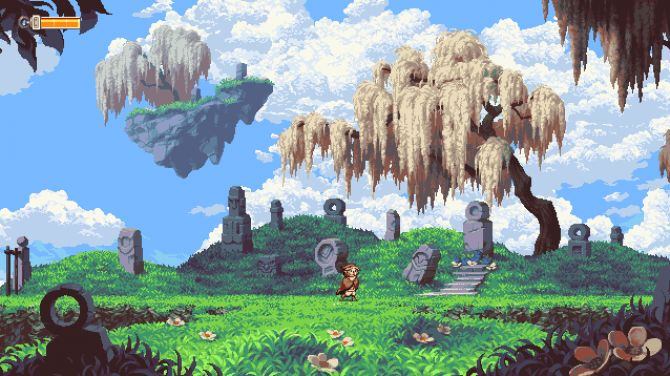
Pixel art is a form of digital art where images are created by manually editing individual pixels, the tiny squares that make up a digital image. This style, which originated from the limited graphics of early video games, is characterized by its low resolution, limited color palettes, and distinct, blocky aesthetic. Popular games that use this style of art work to enhance their games are Undertale, Stardew Valley and Celeste. I have knowlegde in this field as in past projects I have animated Pixel sprites of my FMP project.



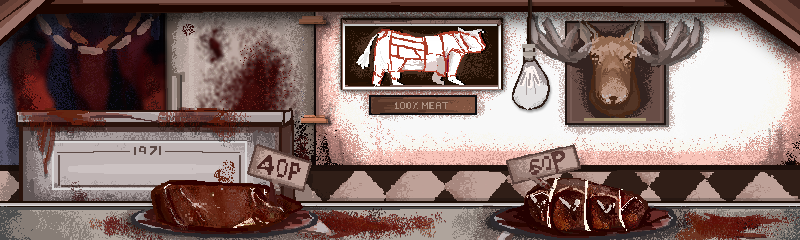

Sprite Art
Sprite art is the creation of 2D art, often in a pixelated style but not limited to a pixel format as many art style can be turned into sprite work, that are used to represent characters, objects, or effects in a larger scene, especially in video games. Sprites are a common way to represent moving objects, characters, and special effects in 2D games. But they can also be used in other ways such as still images in visual novels and rigging. Games that use 2D sprite work are Hollow Knight, Doki Doki Litrarure Club and Muse Dash. I have experiance in this area as I have animted 2D sprites fro games and created renders of sprites for visual novels.


Animation
Animation is the technique of creating the illusion of movement by rapidly displaying a series of still images (frames) that are slightly different from one another. Animation can be created using many methods, including traditional hand-drawn animation, stop-motion, and computer-generated imagery (CGI). Games that uses animation in their sprite work and overall game using 2D are Cuphead, SkullGirls and ORI. I have used key frame animation in my projects but I will learn how to rig and frame animate my work to expand my skill set.


Environments
Environmental art for 2D games involves creating the visual backdrops and settings for a game world, from initial sketches to final, detailed assets. This process includes researching the game's mood, designing layouts, defining a color palette, and creating individual assets like props and textures, which are then placed and refined to create the final, playable environment. The goal is to craft visually compelling worlds that also support gameplay functionality. Games that our known for their 2D enviroments are as such Terraria, CRK and Homescapes. I have practiced in enviroments and want to explore creating backgrounds more.


2D Compositions
2D composition is the arrangement of elements like lines, shapes, and colors on a flat, two-dimensional surface, using principles such as balance, contrast, and movement to create a unified and visually engaging work. It is the process of organizing visual elements within a space that has length and width but no depth, such as a canvas or a piece of paper. Game that use good composion in both shots of the gamplay and advertisemnts as Monocromatic and Hades. By learning composion I can make my work better for both story making and making merchandice for possible charcater designs.


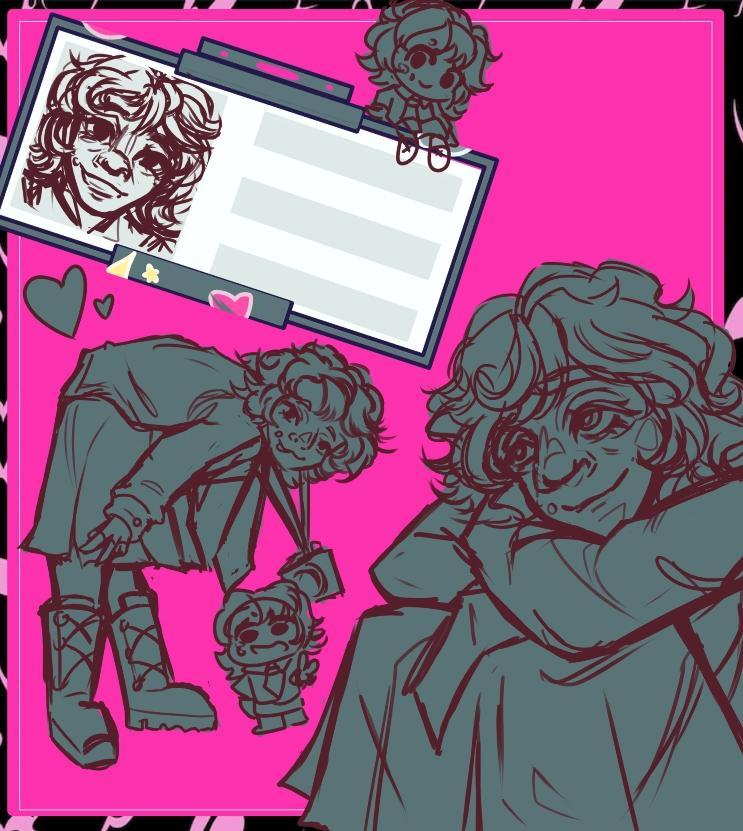

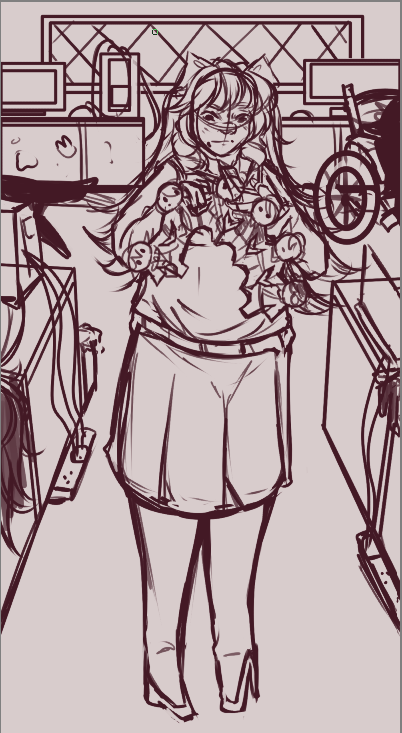
2D Character Design
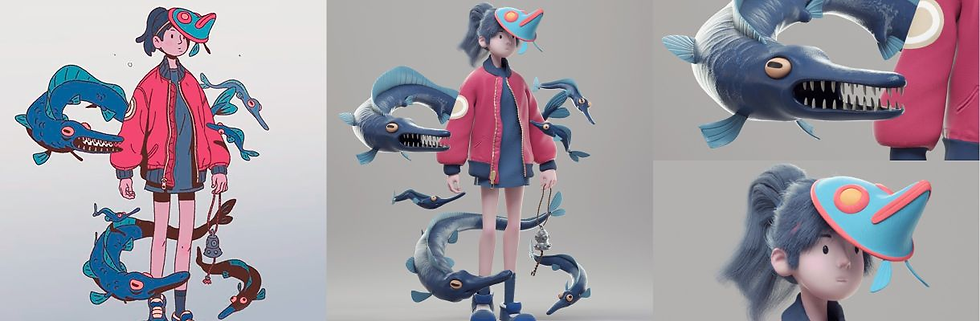
2D character design is the art of creating visually appealing, flat characters for media like video games and animation by defining their style, expressions, and poses. This process involves conceptualizing a character's appearance and role in a story to make them recognizable and emotionally expressive, often using either traditional frame-by-frame drawing or digital rigging and vector art techniques. Most games have a variying level of detail good low detail designs be ing Horrnet from Silk song and high level designs such as Venti from Genshin Impact. I want to explore character design of all kind like human, monster and creatures in all genres to show my level of skill I have in character creation.



The main goal of this research page is to find out, which 2D game engine is the best for me 'Ren'Py or GameMaker. While both engines have different medians such as a pixel art engine and a visual novel engine they both have similarity's I want to compare.

Ren'Py is a free and open-source game engine specifically designed for creating visual novels and story-based games. It uses a simple, easy-to-learn scripting language, similar to markup, to combine text, images, and sound, and it also supports the Python programming language for more complex features. This combination makes it accessible to both non-programmers and those who want to build more interactive simulation games like dating sims.
Ren'Py is a popular visual novel engine with numerous benefits, primarily its ease of use for beginners, flexibility through Python integration, and free, open-source nature for commercial and non-commercial projects,The engine is completely free to download and use, including for commercial projects, without licensing fees. Its open-source nature also allows for transparency and community contributions. The engine has been used to create many successful commercial games, including the widely popular Doki Doki Literature Club and Slay the Princess.
Cons of using Ren'Py include a steeper learning curve due to the need for Python knowledge, a difficult scripting system, and security risks associated with using different formats for save files. In the past user have started that things such as code, assets and entire games have been stolen or deleted from their accounts due to poor security. Additionally, its native web port has limitations and the engine may not be ideal for games with high interactivity beyond typical visual novels.
In my personal opinion, I think Ren'Py is a different software for both novice and experience coders as the free price point will help beginner coders be able to use industry level software and learn quicker rather than paying for an expensive software and or complicated software. However, if an artist wants to make anything but a visual novel they are very limited as while this is a good showcase of a 2D artist work in a video game making things such as levels and dynamic games harder.

GameMaker is a cross-platform game development environment, best known for creating 2D games, though limited 3D is also possible in this engine. It is designed to be accessible to both beginners and professionals, offering a visual drag-and-drop system for beginners and a proprietary scripting language, (GML), The tool is used to build games for many platforms, including Windows, Mac, Linux, iOS, Android, HTML5, and consoles. Despite its beginner-friendly nature, GameMaker is a robust engine used by professionals to create commercially successful and critically acclaimed games like Undertale and Hotline Miami.
The main pros of GameMaker are its free price point being able to be accessible for anyone of any experience range as due to its free price point there are many online boards, tutorials and official guides helping new coders learn the basics in a free engine rather than them paying for a more complicated engine. This engine is known for its speed, with the ability to create functional prototypes in hours or days rather than weeks or months making more appealing to indie devlopers and younger coders. Also the interface is designed to be intuitive, organizing assets like sprites, objects, and rooms in a way that makes sense for 2D game development.
The main cons of GameMaker are its limitations in 3D development, potential performance issues, a less robust IDE compared to other engines, and a smaller, sometimes outdated, asset marketplace. Other disadvantages include a unique programming language (GML) that can lead to bad habits, difficulty with certain programming concepts like advanced physics or event-driven logic, and potential version control challenge. The performance can be subpar compared to other engines like Unity or Godot, especially in certain areas like rendering or with large project.
As I have used GameMaker in the past I can personally say that this is a very good program for coding 2D games but for showcasing 2D art -unless pixel art- it can be difficult. For starters it is a free software and if you have basic coding knowledge it can be beginner friendly, it also has a very active and helpful community for guidance if you are struggling. For 2D pixel games it is an amazing software especially for coders yet since my specialism is 2D art the coding aspects don't appeal to my end goal as much meaning my 2D work will be limited to just pixel art.
Comparing both games software's Ren'Py' and 'GameMaker' I can say personally that I prefer Ren'Py over GameMaker due to many artist attributes that make Ren'Py more appealing to me. Mainly due to the fact I think for my specialism Ren'Py is better for showcasing my artwork than GameMaker as I would have to make my art work either really small of just do only pixel art in GameMaker. As Ren'Py is a software that focuses on 2D art like backgrounds, sprites and cinematic shots I feel like for my FMP showing of my 2D art will be more beneficial that simplifying for a better coding program.
Ren'Py Tutorial
GameMaker Tutorial
UI
The UI is the main interface of the game showing basic buttons like the pause button, quit button and other elements like text dialogue and game elements. In Ren'Py you can create your own UI with your own artwork and code in the main attributes and since it is a visual novel software implements the UI is very easy. However, while in Game Maker it is that same process by adding your own art and coding in the attributes It is harder to create UI since you need a lot of coding knowledge to be able to get the end result you want.
Coding Languages
Coding language is the main way to create your gameplay as you tell the software what you want to implement and when that key should be implemented. GameMaker uses both GML and C++ making it very beneficial for experienced and novice coders. However, Ren'Py uses the coding language called Python, which I have had no experience with so from the coding language alone GameMaker seems more desirable for me for future games.
Animations
In Ren'Py you can create animation by using one of two main methods: frame-by-frame animation with image sequences or video animation for longer cutscenes. For frame-by-frame, you define an image with a list of static images and pauses, while for video, you convert a video file and use images to display it. In GameMakwe you can animate by adding objects and sprites using 'Sequences'. Using curves to smooth out clunky animations. Im my Opion I find Ren'Py better for animation as it is easyer to showcases your 2D art.
Sounds
In GameMaker they have their own special sound engine that makes importing sound tracks and sound effects into your game extremely easy and even makes them into their own specific file making coding it into the game way easier. While in 'Ren'Py' adding your own music and effect are possible it is not as easy as GameMaker as importing sound code into python is more difficult as the code language need spercific time stamps to make sure the music plays correctly.
Other notable 2D game engines
The main goal of this research page is to find out, which drawing tablet is best suited for an artist in any skill range, the 'Wacom Intuos' or the 'Parblo' drawing tablets, while also mentioning good physical drawing tools.

A Wacom Intuos tablet is a type of graphics tablet designed for creating digital art, editing photos, and remote work by connecting to a computer via USB or Bluetooth. It allows users to draw or write on the tablet surface with a pressure-sensitive, battery-free pen, which translates their actions into digital input for various creative software on a PC or Mac. Key features include a slim, portable design and customizable 'ExpressKeys' for shortcuts.
The main pros of the Wacom Intuos are it's precision and accuracy, customizable express keys and dials for a faster workflow, and versatile connectivity options including Bluetooth and USB-C. It's durable, slim design is ideal for both professional and on-the-go use like a tablet, with an ergonomic, ambidextrous layout that can be customized for both left- and right-handed users, making it more accsesable for more people. The latest models also feature an advanced, highly customizable pen and an optimized surface texture for a natural feel creating a feeling as if drawing on paper.
The main cons of the Wacom Intuos are its high price point, especially for beginners that might not risk buying an expensive tablet, and the need to replace nibs as they wear down. Some other drawbacks include a lack of multi-touch capability on newer models, a Bluetooth auto-sleep feature that can't be customized, which leads to an annoying experience, and a slight learning curve to master the express keys and surface feel showing again that it is not beginner friendly
In my personal opinion, I think the Wacom Intuos is a decent tablet for intermediate artists and experienced artists, yet I believe this tablet is not suitable for beginner artists. Due to its steep learning curve and price point these tablets my be to experience heavy for a newer artist to utilize well ; saying this I think this tablet does it's job well as I have used it in the past. It has a good display hight and length, good screen feel and sharp pen nibs. Overall I think is tablet is a good use for artists with experience but not as much for newer artists.


A Parblo drawing tablet is a digital art tool created by the company Parblo, which was even named after artist Pablo Picasso. These tablets are designed for digital artists and creators, allowing them to draw and design on a computer or Android device using a battery-free, pressure-sensitive stylus. They are used for a variety of creative tasks and are known for their portability and cross-platform compatibility. These tablets are known to be used for advanced artists but beginner artists can learn how to create artwork on the tablet quickly with enough knowledge of the buttons and shortcuts.
The main pros of a Parblo tablet is that they are compatible to and work with a range of operating systems, including Windows, macOS, and Android, and are compatible with popular creative software like Photoshop and Illustrator ; It also has a lower price point yet is still a high level tablet. They are also offer a battery-free, pressure-sensitive stylus that can have as many levels of pressure sensitivity, mimicking the feel of a real pen or pencil, many models also support a tilt function.
Cons associated with Parblo drawing tablets often relate to inconsistent drivers, potential pen hardware limitations ; the most frequently cited issue is that the drivers can be faulty, leading to difficult installation processes or unexpected behavior on some operating systems, particularly certain Windows 10 configurations. Another issue people face with this tablet is that some models exhibit slight wobble or jitter when drawing slow diagonal lines, which, while correctable with software smoothing, can impact the drawing experience.
In my personal opinion, I think the Parblo is a decent tablet for an artist with a range of skills as it is quite affordable for a screen drawing tablet. It is compatible with the main systems and these tablets are also used in the gaming industry for works such as on 'Photoshop' making it a good choice for artists in the games field. On the other hand, the tablet can have some bugs in it's sensors making the drawing experience tedious sometimes. To conclude, while the tablet definitely has it's flaws I personally like to use this tablet as it has the main hardware used for people in the gaming industry.


Comparing both drawing tablets 'Wacom Intuos' and 'Parblo' I can say personally that I prefer Parblo over Wacom due to the main hardware and layout being more appealing to me. Mainly due to the fact I think for my specialism Parblo is better for creating my artwork on than Wacom as I would have to make to spend a lot of money to have a similar drawing tablet that sometimes has difficulties working. As I have used both tablets I personally prefer the Parblo one as I am more comfortable with it's keys/shortcuts and the over all layout of the tablet, while the Wacom is very good I personally don't enjoy the presets of the key binds.
Wacom Tutorial
Pablo Tutorial
Screen Tablet
The main pro's of owning a drawing tablet with a screen than a screenless tablet is that you can look at where you're drawing, eliminating the disconnect between hand and screen found on tablets without a display. Features like customizable keys and multi-touch gestures can also speed up the creative process. Some screen tablets, especially standalone models like iPads, can be used as a computer for drawing, editing, and other tasks without needing a separate PC. Yet the main draw back of these tablets are their price point as they are double the price of a screenless tablet.
Screenless Tablet
The main pro's of owning a drawing tablet that is srceenless is that screenless drawing tablets are more affordable and portable, offer better ergonomics by promoting better posture, and don't require a stand or screen protector. They are a good option for budget-conscious artists, beginners, or those who prioritize a lightweight and portable setup. The main downside is a steeper initial learning curve for hand-eye coordination. Yet a possible issuse with owning one of these tablets is that it doesn't feel like drawing on paper as you have to look at another moniter to see what you are drawing.
Paper Sketching
The main pro with sketching out your ideas on paper first is that you have physical copy's of concept work and art ready to reuse and drawing on paper can help your mind simplify your workflow as you can sketch many ideas without worrying on perfecting each line as you have less control over the end product than you do with digital art. The only con I see is that since it's on paper if you create the perfect drawing translating it to digital can be harder than just sketching ideas on a tablet.
Sketch Books
The main pros of sketch booking is that sketch booking offers a safe space for creative freedom and a powerful tool for honing artistic skills and observational abilities. It is also a personal, chronological record of your ideas and growth over time, which can help when creating your official portfolio over time. However, just like the sketching on paper technique it is harder translate you traditional drawings to a digital platform as your techniques with both skills can be vastly different.
Physical Media
Digital Media
Other notable 2D drawing tablets
Production pipe Line
The main goal of this production pipe line page is to find out, how a simple game pipe line works and why they do these tasks in a certain order.
Video Game PipeLine

A video game pipeline is the structured process of creating a game from concept to completion, typically divided into pre-production, production, and post-production phases. The pipeline helps manage the project's workflow, schedule, and budget by defining steps for each department, such as conception, design, asset creation, and testing. While pipelines can vary by studio, they generally follow a logical flow to streamline development, though the process is not strictly linear and requires flexibility for revisions. All games including indie titles must have the basic game pipe line if they want to succeed.
Concept Creation
To create a video game concept, define your core idea, then expand on the story, gameplay mechanics, and art style. Use brainstorming techniques like mind mapping to visualize connections and identify the 'main game loop' the core actions the player repeats. After establishing the concept, create a game design document or known as a (GDD) to outline the vision for your team, potential investors, and publishers. To create a compelling story you should draw ideas from your favorite games, movies, books, or even everyday life experiences. Consider what mechanics or stories you find most engaging and think about the emotions you want the player to experience, like fear, power, or creativity. You need to use your narrative to explain why certain things are the way they are.
As this stage is the initial stage where the core idea is developed such as narrative, characters and plot, including genre, the main target audience, hosting game platform, and essential features ; it has to be one of the first things in the pipe line since everything from the genre, aesthetic, art style and overall feel for the game comes from the concept creation stage of the video game pipe line. Making this the first stage is vert important since this is the main point of guidance to everyone in the pipe line as creating the reasons for why certain objects, characters and more look the way they do come from the narrative.
Application is no longer available.
Idea Refinment
Idea refinement is the process of analyzing, improving, and shaping an initial concept into a more practical and structured plan. This is achieved by getting feedback, evaluating the idea against success metrics, making small but impactful changes, and testing assumptions in the real world. The goal is to turn a creative thought into a viable and well-communicated idea with real-world value such as a video game. The team defines the game's genre, core mechanics, art style, and target audience then the refined concept is presented for approval to stakeholders or investors, ensuring alignment with budget and scope.
Idea refinement is a crucial stage in any pipeline because it transforms raw, initial concepts into clear, actionable, and viable solutions, ensuring that valuable resources are not wasted on poorly developed or unfeasible projects. This systematic improvement process is essential for mitigating risk, optimizing resource allocation, and ensuring strategic alignment. Mainly for game development it helps give a clear idea of what the tone of the narrative will be for the other people in the pipe line to base their work of.
Research
Research on the video game pipeline explores its different aspects, such as formalizing the main asset creation process through a pattern-based approach, investigating design ideas and processes through industry expert interviews, and creating production pipelines for how other games succeeded. Other areas of research include creating data pipelines for analyzing in-game markets for how to create a better profit, developing algorithms for real-time game analytics, and studying the impact of pipeline inefficiencies on the development timeline and budget. Once this is done the team has a better understanding on what the game will entail and focus on their personal pipe line role to make sure the game is well like. An example the market team will know the best way to promote the game.
In this stage of researching the industry the game will be in and the best way to market/ develop your games plot you can see what games failed and what games succeeded to make sure your launch is as well reserved. You can look at how your games genre does well in the Internets algorithm, main complaints from similar games that you can avoid, the main price point for games at this time and how your audience would react once your game is announced. Without doing this early on in the pipe line you risk missing important instances with the community and risk creating or selling a product people are displeased with.
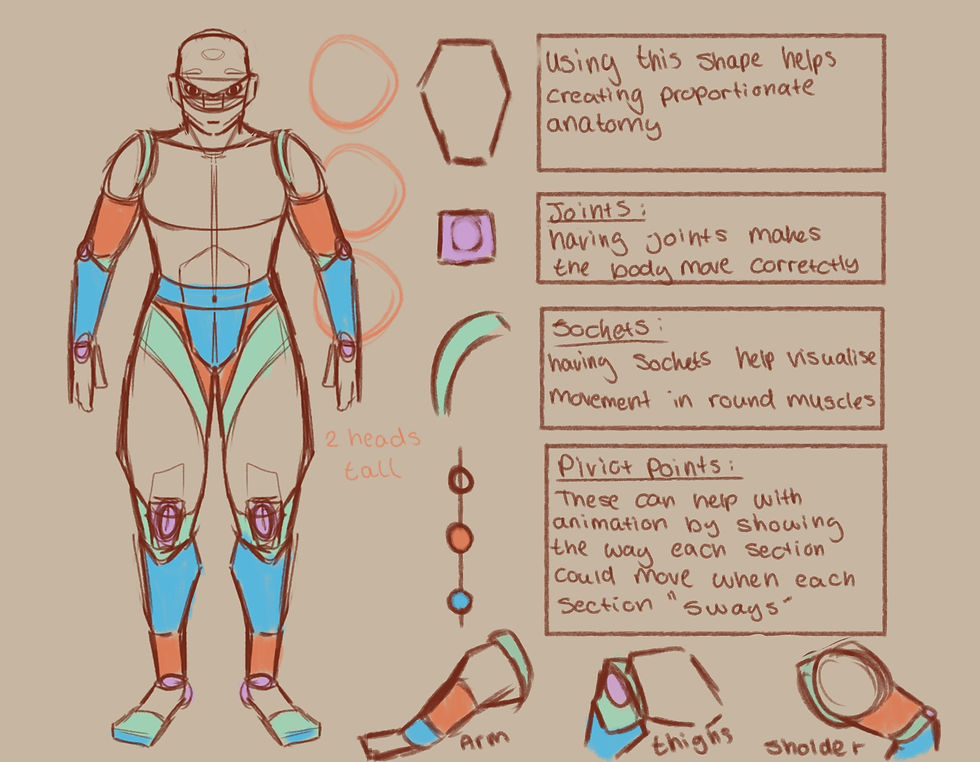
Concept Art
Concept art is the foundational visual design stage in the video game pipeline, used to establish the game's artistic style and create blueprints for characters, environments, and props before production begins. It involves creating rough sketches, mood paintings, and detailed design sheets that serve as a visual guide, helping to ensure that all teams align on the same vision and reduce costly changes later in development. Key art and mood paintings are created to define the game's overall tone, color palette, and style, which helps to guide the entire team.
This is one of the earliest stage, where concept artists create raw sketches and ideas based on a game's initial vision, gameplay requirements, and level briefs. This could be from characters, environments, objects, UI, level design and the overall feeling the game will need in both a 3D and 2D form. By mapping out he key features of a character/ environment early and explore different ideas with that concept the artist can fully discoverer the best way to develop that media.
Prototype
A video game prototype is a rough, working version of a game concept used to test gameplay mechanics, viability, and fun before full development begins. It can range from a simple paper sketch to a basic digital model, with the primary goal of quickly and cheaply testing ideas to identify and fix problems early. Developers can make changes and adjustments in the early stages without significant time or financial investment and a playable prototype allows for early feedback from team members or potential players, which helps refine the design. By doing this the developers can make sure that the game is appealing to the public and decide if they want to take feedback or change certain aspects the public didn't like without already spending a lot of money and time into the project
In the video game pipeline, a prototype is a pre-production step that allows developers to quickly evaluate if an idea is fun and viable, saving time and resources by identifying potential issues or making necessary changes early on. It is important to have this near the early stages of your pipe line as it can help gather feedback on what people liked or disliked making everyone re-evaluate their own work early on in the development rather than near the end. This can be from changing mechanics, character designs, UI, over world layout but having it in the middle help the development timeline run more smoothly.
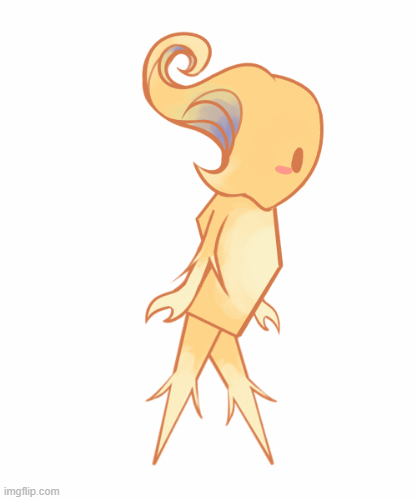
Asset Creation
Asset creation in video games is the process of designing and building all the digital content that makes up the game, from visual elements like characters renders, 3D environments, and textures to non-visual components like sound effects and music. This is a crucial and complex process that involves both artistic and technical skills to turn concepts into functional, immersive, and engaging game-ready files. After looking at the concept and finished art of the early stages of development the asset creators can more smoothly create their 3D work as they have a clear understanding of what and why they are creating that asset.
In a pipe line asset creation is the process of building and optimizing all the digital content, or "assets," from initial concept to final game-ready files. It's a structured workflow involving multiple stages and tools, where assets flow from art creation software through pre-processing steps to become usable in the game engine. Key stages include 3D modeling, texturing, rigging, and animation, along with crucial pre-production and post-production steps like creating mood boards, and later, lighting and performance optimization.

Testing
Game testing is a crucial part of the development process to find bugs and glitches, ensure the game is fun, and verify that it functions as intended before public release. It involves a combination of functional testing (checking for technical issues) and play-testing (evaluating the user experience and gameplay) to guarantee a high-quality product for players. Testers use specific steps to try and break the game, looking for issues like graphical glitches, broken mechanics, or software crashes. By doing this these bug reports are sent to developers, who use them to fix the problems fixing the game before release. 'Play testers' evaluate if the game is fun, if the difficulty is balanced, and if the gameplay mechanics are engaging.
In a games development pipe line this is one of the first testing phases where an incomplete version of the game is tested internally by the development team and dedicated questions are given to the staff . The focus is on finding major issues, stability problems, and ensuring core gameplay mechanics function. By figurine out the main issues now before the polish and release step the game can be ready to go into bug fixing mode ; this could be a broken piece of code, broken assets, incorrect art. Overall testing that the game i ready for the final stages before release.

Bug Testing
Bug testing in video games is a process where testers feedback from systematically playing the game to find and report glitches, errors, or defects that prevent it from functioning as intended are then fixed. The main goal is to identify these bugs before release so developers can fix them, which improves the overall player experience and ensures the game's quality and stability. After developers fix a bug, testers go back to the game to verify the fix is implemented correctly and hasn't introduced new issues (this is called regression testing). By doing this the team can maker sure everything is playable and up to the standard they want before double checking everything then releasing. Making sure that the game is ready for the launch date and works as intended.
Near the end of the pipe line you will bug test your game to make sure that everything the play testers complained about before are now fixed before the release date if your games launch. The primary goal of bug testing is to minimize the number of issues that reach the end-user, which is critical for the game's reputation and success. By doing this before launch than after launch you can make sure that the public reception to your game is more positive than negative due to glitches and unfair bugs that can ruin game play for a player. This is one of the most crucial steps in the pipe line as it could make or break your game.

Polish
In video games, "polish" refers to the fine-tuning of small details to improve the overall quality, feel, and player experience. This includes finalizing fixing bugs, improving the main controls, adding improved / stronger animations and better sound effects, and making sure everything from the user interface to core gameplay mechanics feels cohesive and professional. A well-polished game feels responsive, looks professional, and makes the overall gameplay feel more special making the experience more enjoyable. By doing this the game can be ready for launch by double checking that every aspect of this game from the code to the art is complete and high quality ready to be shown to the public.
Polish is generally considered the last 10-20% of effort that can turn a good game into a great one. While a dedicated "polish phase" often occurs near the end of the development timeline (after the bug fixes ), many developers incorporate "polishing bits" throughout the entire production process to maintain team morale, facilitate early marketing, and avoid an overwhelming final push. This can be from fixing up code for optimization, cleaning up any artwork left in game, one last play test to make sure everything is working, making sure sound design work as intended and in general just making sure everything is ready before realise.
Relese
In game development, "releasing" refers to the final stage where a game is made available to the public, which involves preparing it for distribution, executing marketing, and providing ongoing support. This stage includes preparing a "release candidate" version for final testing, managing the day-one patch, and planning for post-launch content like updates and DLC. The release stage is crucial for a game's success and extends into post-launch phases to keep players engaged.
Releasing a game in a game development pipeline is the launch phase and the final step of bringing the game to the public, marking the end of active production and the start of the game's market life. This phase involves making the game available for purchase or download, but it also includes the crucial post-launch period for ongoing support. Once the game is realised you just need to note on audience feedback.
2D Art PipeLine

A 2D art pipeline in the gameing industry is a structured workflow that guides the creation of two-dimensional visual assets, from initial concept to final output, through a series of defined steps. It ensures consistency, efficiency, and collaboration by organizing tasks like ideation, storyboarding, character and background design, layout, animation, clean-up, coloring, and compositing. The process varies depending on the project but typically follows a progression of pre-production, production, and post-production phases.
The main goal of this production pipe line page is to find out, how a 2D artist works in the industry and what job role they could face , showing what they do and why it is important for the overall production of a game.
2D artist
2D digital art is artwork created using digital technology, existing on a flat surface with height and width but no depth. It includes techniques like digital painting, illustration, and animation, created with tools such as graphics tablets and software like Adobe Photoshop, Procreate, and Clip Studio Paint. 2D digital art in the games industry normally refers to the creation of flat, visual assets like characters, backgrounds, and user interfaces (UI) using software for use in 2D video games. This art can range from static images to frame-by-frame or animated sprites and is crucial for a game's aesthetic, style, and player experience. 2D digital art is important in the games industry because it provides a unique artistic identity, is often more budget-friendly, and is accessible across a wide range of devices. It is used to create everything from stylized and nostalgic visuals to functional assets like game interfaces and marketing materials, giving developers more options to differentiate their games.
Idea Generation
Worldbuilding and idea generation, is the comprehensive process of creating a detailed, internally consistent, and imaginary setting for stories, games, or other creative works. It involves developing the various interconnected elements that define the physical and cultural environment of a fictional universe. This can start from figuring out the over all art style of the game -pixel art , 3D or stylized 2D artwork- figuring out the main colour scheme the game will have - vibrant colours, monochrome colours of a basic colour pallet. By figuring out what the overall theme and feel of the game is before developing worlds and characters, the artist can have a better guide into what not t do and what would benefit the theme of the game.
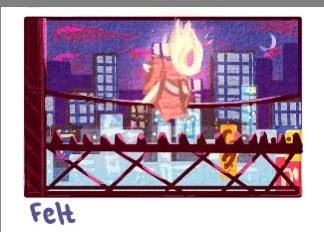
A concept is important because it serves as the foundational idea or "why" behind a project, design, or thought process. It provides clarity, direction, and a shared understanding for all people in the pipe line, guiding decisions and ensuring consistency throughout development. By working out visual and design problems early, concept art prevents mistakes and the need for expensive fixes down the line. As well it establishes a common visual language that ensures all parts of a project are visually aligned with the overall tone and style. But most importantly and simply idea generation is an initial stage in creating video games, serving as a blueprint for what a project will look like. It guides the entire team toward a shared vision for characters, environments, and props.
Character Concepts
To create a character for a games you must plan out and create multiple concepts of that character. This can be from changing the over all shape language, silhouette, colour palettes, changing elements on clothing to make them stand out more, changing the body language of a character to showcases a certain personality. This is an important step in character creation as without making sure you have every detail nailed down for your character you might feel regret in the future for not exploring more or worse having a character that feels out of place, has confusing details and is overall not interesting. You can make sure a design is ready by having multiple variations even variations that look completely different and getting outsider perspective to what aspects they like with each design and finalise form there.

This is a curtail step in a characters design as without trial and error you might end up with an under - baked design that leads the player base to feel underwhelmed and not care as much for your character. Even the most 'Basic' character designs have at lest one interesting gimmick such as 'Saitama' for the manga One Punch man, he is just a bold super hero yet his recognisable eyes and bright colour scheme help him stand out to other more 'complex' manga super hero's. A character doesn't need a lot of detail to be remembered as long as it has strong, colours, shape language, accents and silhouette a character should have a recognisable design and if the character designer does not plan for changes and different variations of their idea they will stagnate and not create the best design.
* Mind Mapping
* Teamwork
* Communication
* GDD
* Creating Own Pipeline
*Research Main Ideas
* Peer Feedback
* Apply Feedback
* Explore Ideas
* Set Ideas For People In Pipeline
* Finalize Main Story
Techniques
Tools
* Mind Mapping
* Anatomy
* Colour Theory
* Silhouettes
* Shape Theory
*Style Ideas
* Peer Feedback
* Apply feedback
* Explore Ideas
* Thematic Research
* Finalize Main character
Techniques
Tools
Techniques
* Mind Mapping
* Architecture
* Colour Theory
* lighting
* Shape Theory
*Style Ideas
* Peer Feedback
* Apply feedback
* Explore Ideas
* Culture Research
* Finalize Main Environment
Environment Concepts
While creating characters for your world you need to also create an idea of what the overall world would look like, from the overall colour and lively hood, using the questions that were answered in the idea generation step to implement the details needed. Such as important landscapes, key level design exterior and an art style of backdrops needed to pull the whole idea together. The environmental designer need to create concepts of locations with help from the level designers to be able to create a cohesive world. Just like the character designers they need to go through trial and error insuring that the environment looks like as imagined from the story tellers and idea generators , especially if the environment is based off an existing IP.
Having someone visualise ideas for the environment and backdrop of a game is very helpful for when the official sprites and artwork comes in as by testing which colours fit the atmosphere or how intimidating / relaxing an environment is helps build emersion better as the world feels more realistic. This can be from a vibrant, quaint and green thumb town like the game Stardew Valley or a harsh, depressing ghost town like an Elden Ring location. By doing this the concept artist can give a clear guide to the main artists to create an accurate depiction of the environment needed , which helps further everyone along the pipe line as the level designers can start path finding, assets artist can start 3D modelling, The UI creators have a fell of how the background will look and most importantly the final artists can create and bring like to those concepts.
Tools
Character Designs
Once you have your basic concept of a character's design you can then create your reference sheets and other important official artwork. Once you have a basic outline of a design they will create colour palettes, silhouettes and concrete designs that represent the character as the concept designs and story suggests. To make these designs official and ready for either sprite creation or 3D models you should have a clear reference sheet showing a front, back and side profile of the character, a clear colour palette and other important details such as symbols, patterns or extra accessories. You should also have other artwork such as art showing them in certain lighting, them next to other characters, a turnaround sheet, an expression sheet and having the characters in dynamic/lively movements. By doing this the character designer can help the future sprite creators and 3D modlers with a clear reference on how that character acts and what they look like, without this the possibility of incorrect models and sprites is higher.
By having a character designer make confident and clear designs ready for official artwork to be done by referencing their work the game can not only have interesting and compelling character designs but can make sure that the end sprites/models are accurate and on model. This helps with more complicated designs such as characters from 'OverWatch' and 'Genshin Impact' with their intricate details and unique aesthetics. By following these methods artists can create diverse , relatable and engaging characters ; this is an important skills for an artist as the design should indicate what type of person the character is by their body type/language, expressions and how they dress themselves. This is the most import step in a 2D character designers pipe line as they have created and refined the final product ready for the sprite work.
Tools
Techniques
* Mind Mapping
* Recognisability
* Colour Theory
* Dynamic Expressions
* Shape Theory
* Clear Personality
* Peer Feedback
* Apply feedback
* Create Reference Sheets
* Explore Characters Together
* Finalize Main Design
Environment Designs
Once you have a base line on what the environment should look like the official world / environment designs can be created. This can be from : world maps, cut-scenes, backdrops, menus and other miscellaneous environments. Since the artist has the concepts of the world they can start using the concepts and ideas to elavate the games graphics ; if the world is based underwater and has a temple they can create the water textures and the rubble around the temple. This help create more immersion in the game making it feel more alive since it has elements of realism and could be used to create entrege for the game as the backgrounds can look appealing to the player making them have more incentive to buy the game. Games that come to mind my beautiful 2D environments are Gris, Stardew Valley and Celeste as they have such unique premises and their own world reflect that from a warm cosy farm life filled with green plants and warm soil to the harsh cold purple caves of Celeste with the jagged cliff sides and dim atmosphere.
It is important to have an environmental designer for games because they create the playable world, which is crucial for player immersion, atmosphere, and storytelling. They mainly build the visual setting, balance aesthetic appeal with technical performance, and integrate gameplay mechanics into the environment. A well-designed environment guides the player, provides narrative context, and ultimately makes the game more engaging and successful. By doing this in the pipeline, the team can make sure that they have the official and final designs of the environment and world near the sprite and asset creation process to make sure they have concept designs on what they need to model the world based on the environmental artists' work.
Tools
Techniques
* Mind Mapping
* Appealing To The Eye
* Colour Theory
* Architecture
* Shape Theory
* Clear Visualization
* Peer Feedback
* Apply feedback
* Create Finished Backdrops
* Explore World Map
* Finalize Main Design
Sprite work
After obtaining the official designs for the characters the sprite creators can draw the main sprite sheet for the characters ready fro animation ; this could also be official renders of characters like a visual novel. They do this by drawing out a sprite sheet for each frame to make the sprite animations ready to be imported into the games coding engine. Games that use this method are : Undertale, Hollow Knight and Skullgirls. Another method is that they draw a full body of the character in different poses / emotions for a visual novel type game, games that follow this method are the following, DDLC, Danganrompa and Your Turn To Die. By doing this, the artist can create a clear sprite to present personality through expressions and movement.the artidt can create a clear sprite to present personality through expersions and movemnt..
Having a sprite creator (or sprite sheet creator) for video games is important because it allows developers in the pipeline to create the custom visual assets that align with their unique artistic vision that is compatible with the game's overall appearance with the sprites while also improving game performance and streamlining the development workflow by having these be the last steps before polish. By using sprite sheets, which combine multiple images into a single file, is more efficient than loading numerous individual images. The game only needs to load one file and then displays different parts of it as needed, reducing pressure on the system and improving performance.
Tools
Techniques
* Using Reference
* Clear Design
* Colour Theory
* Expresive
* Shape Theory
* Consitant Design
* Peer Feedback
* Apply feedback
* Create Finished Sprite Sheet
* Polished Work
* Finalize Sprites
Techniques
* Animation Theory
* Clear Design
* Colour Theory
* Expresive Motion
* Timing
* Consitant Design
* Peer Feedback
* Apply feedback
* Create Finished Animation
* Polished Work
* Finalize Scenes
Animation
Another step in the pipeline for a 2D artist can be animation, from cutscenes or just asset animation. A 2D animator creates movement by sequencing a series of individual drawings that are played back rapidly to create the illusion of motion. This can be done through traditional methods like drawing on paper or digitally using software. Key steps include storyboarding, character design, creating backgrounds, and animating the drawings frame-by-frame or using computer-assisted tools like rigging and tweening.By doing this the animator can bring an object to life and create a better sense of immersion and help elevate a game's overall art.
Animations are important for the gameing indusrty because they enhance immersion, define character and storytelling, improve gameplay, and provide a competitive edge. They make worlds and characters feel alive, communicate critical gameplay information, and establish the rules and feel of the game through mechanics like character movement and attack sequences. The main purpose of animation in 2D games is not only to set a scene but to also help characters express emotions, behaviors, and unique personalities through movement and expressions. By doing this, the animators can help make a game more memorable with cutscenes and storytelling, as visualising a story helps people remember it more rather than reading dialogue form a text box
Tools
Tools
Asset creation
An asset creator in the games industry is a professional who designs, develops, and produces the various digital elements that populate a video game, including visual, audio, and interactive components like 3D models, textures, sound effects, music, and animations. These creators must understand both artistic and technical aspects of game development to ensure assets meet the game engine's requirements and the project's specific style. They create assets for environments, characters, props, and UI elements and maintain libraries for other team members to use.By having an asset creator, the game can explore the world of 3D assets.

Game assets are essential because they provide the visual, aural, and functional components that transform abstract code into an engaging, immersive, and playable experience. Without assets, a game is merely a blank canvas or a set of mechanics; they are fundamental to every stage of game development, from prototyping to the final product. By having them near the end of the pipeline the team can maker sure that like the 2D sprites, 3D models, sound effects, and music are what players see and hear, establishing the game's unique identity, mood, and atmosphere. Since inconsistent or poor assets can break a player's sense of presence in the game world.
Techniques
* 3D Knowlegde
* Clear Design
* Colour Theory
* Shape Language
* Intresting Design
* Consitant Design
* Peer Feedback
* Apply feedback
* Create Finished Assets
* Polish Work
* Finalize Assets
UI
A UI (User Interface) creator in the games industry is a professional responsible for designing, creating, and implementing all the visual and interactive elements players use to engage with a game. reating the aesthetic look and feel of UI elements, including buttons, icons, health bars, mini-maps, and inventory screens, ensuring they match the game's overall art style. They do this by Working within game engines (like Unity or Unreal Engine) to integrate the UI assets and functionality, collaborating closely with programmers and artists to ensure the designs work as intended. The main important step is that the Design, graphics and transition animations can enhance the UI's visual appeal to provide clear feedback to the player.
Near the end of the pipeline, it is important to have UI as it can be the last thing implied in the gaming process before refinement. UI to provides essential information to the player, facilitate interaction, and enhance immersion. A good UI shows players their status (like health or score), guides them through menus and objectives, provides feedback on their actions, and contributes to the game's overall aesthetic and storytelling. Without it, players would not know how to play, leading to a poor experience. By having a good UI in a game it can help to contribute to the game's visual style and atmosphere, helping to reinforce the narrative or theme. For example, a medieval-style font can enhance a fantasy game's setting.
Tools
Tools
Post-production
Art post-production in the games industry is the final stage of visual refinement after the core assets have been created, primarily focusing on colour correction, lighting, and applying visual effects to achieve the final look and tone of the game. It involves using software to fine-tune the game's overall visual style, enhance mood, and fix any remaining rendering or visual issues identified during testing. Post-production is where final touches of visual effects are integrated and polished, contributing to the game's overall visual quality and impact. To summarize, it is the last polish step to make sure the product is up to the standards set.
Art post-production is critical for video games because it provides the final layer of polish, defines the game's visual identity and mood, and enhances player immersion and engagement. It is the stage where the raw visuals are transformed into a cohesive, professional, and visually compelling experience. Post-production effects allow artists to define the overall look and feel of a scene. Colour grading can make a scene feel warm and inviting or cold and menacing, directly supporting the narrative and emotional tone the developers want to convey. By doing this last in the pipeline you can make sure that everything art wise is ready for launch.
Techniques
* Media Knowlegde
* Clean Up
* Post Production Knowlegde
* Video Editing
* Teamwork
* Leadership
* Peer Feedback
* Apply feedback
* Create Finished Game Art
* Polish Work
* Finalize Game
Techniques
* UI Knowlegde
* Composition Knowlegde
* Commuication
* Style Understanding
* Testing
* Read-able UI
* Peer Feedback
* Apply feedback
* Create Finished UI
* Polish Work
* Finalize UI
My Game Development PipeLine
A game pipeline is the structured, multi-stage process of creating a video game, from the initial idea to its final release and beyond. It is a chain of steps that organizes the work of different teams, ensuring efficiency and control over the project's schedule and budget. The pipeline is typically broken down into three main phases: pre-production, production, and post-production ; this poster is a good example of how the pipeline works.
I made this poster in Photoshop in 2024 using the character 'Isabellel' form the game 'Animal Crossing' to help visulaise how the pipe line works. To make the poster more memroable I added a graphic of Isabelle popping out of the poster creating a strong and memroable poster.
By doing this I can present how the pipeline in the games world works in a simple and fun format that can be memorable since the vectors and aesthetic are charming while presenting the important information clearly to the viewer.
The Role Of Research
The main goal of this research page is to find out,the best way an artist gather references for their works and how they use them.
Research and reference gathering is the crucial phase of games 2D art creation as discovering your games style, vibe and overall appearance can make your game stand out from the rest and become a recognizable game in the huge field that is the gaming industry. Researching for your game is the main compass that guides you through a range of different ideas from art style, assets creation and even UI design ; it’s a deep dive into understanding visual languages, thematic nuances, and the intricate details that elevate game assets from ordinary to extraordinary.
Don't Starve Together is a standalone multiplayer expansion to the original survival game, Don't Starve. It challenges players to work together with friends to survive in a harsh, generated world filled with strange creatures, resources, and secrets. The games strongest features are it's quirky art style and unforgiving survival mechanics
The main topic of research that someone can use to develop their own game in 'Don't starve together' is the unique and iconic art style. The game uses a 2D style that is reminiscent of traditional art by having the characters look like they are drawing with just scrap pieces of paper and a pen. The developers of this game have a public development log and lice streams of them drawing their characters designs on YouTube, showcasing their process of how they obtain that art style. An artist can take inspiration form this game by researching their methods on creating asset and art work ; understanding why this team uses those methods and how they can use similar ones to create an interesting style for the 2D game.


When researching this game you can compel the main reasons and why the team uses this certain art style ; seeing how this style is not only recognizable but fits the overall theme of the game well given it a sense of horror from it's monochrome pallet and the characters jagged lines. Researching this game can help garner inspiration on how to make a 2D horror game with a interesting art style and use the public techniques given from the team to make your gave feel more hand drawn and alive.
Paper Mario is a series of role-playing and action-adventure video games developed by Intelligent Systems and published by Nintendo. The games feature a paper cutout version of Mario, and the gameplay combines turn-based combat with a focus on action-commands and active player participation, often involving a quest to rescue Princess Peach. The series is known for its unique art style, distinct story lines, and blend of RPG mechanics with action elements.
The main thing a 2D artist can references from the Paper Mario series is it's unique art style that combines a 3D median yet presents it self as 2D. This game has many public assets and video detailing how they development team was able to create these 2D like 3D characters in their game. Artist can use the public information and use it to take inspirations for their own game ; his can be from the concept of a 3D game looking 2D, or even the opposite way round, having a game that looks hand made, have exaggerated animations, using gimmicks in the game to inspire a move set and just researching how and why the developers did this can help refine your new ideas into a stronger game that acknowledges it was inspired by paper Mario but not copied.


By researching game that improve you can can fully understand why that 2D artist created the game that way and see if their any tricks you can learn to improve your games quality. This research can be from, art style, mechanics and UI by seeing what could work for your can and aspect of the have you have research that you would like to improve or take inspiration from you can be sure those ideas are fully explore.
The main goal of this research page is to understand why artist uses they features in their research stage before creating their art work.
Mood Boards
A mood board is a physical or digital collage of images, text, colours, textures, and other design elements used to communicate a concept, mood, or style for a project. It serves as a visual guide to help establish a creative direction for projects. It is a simple yet effective way to explore and share ideas within a development team as you can stream line and document your ideas in a clear format with pictures. In the research phase, a mood board is a visual tool to explore and communicate a project's or participant's ideas, feelings, and aesthetic direction. It serves as a tangible reference for research by collecting images, colours, textures, and words that collectively evoke a specific mood or concept.
Art Style
An art style is the distinctive manner in which an artist expresses their vision through choices in subject matter, colour, form, texture, and space. It is the unique visual language that makes an artist's work recognizable, developed over time through personal experience, influences, and experimentation. Finding your style involves a combination of studying other artists, practicing, experimenting with techniques, and exploring your own interests and talents. An art style is important in games development because it provides a unique identity, makes an artist recognizable, and creates a stronger body of work.
Real World Examples
Artists use real locations as inspiration by drawing on their physical environments, cultural atmospheres, and their own psychological or spiritual connections to a place, being the research they have done with that locations or any personally experiences they might have with that location. This influence shapes their subject matter, style, colour palette, and even the materials they use. This is why some studios before development begins fully will fly out their team to the location the game is based on to gather information and resources on how to depict that location as well as they can in game form.
VFX
Artists can create 2D visual effects (VFX) through a combination of traditional animation principles and digital software to create effects like smoke, fire, or energy. They first create a core visual, often a still-frame drawing, and then use software like Adobe Animate, Aseprite, or Photoshop to draw, animate, and loop the effect frame-by-frame to achieve motion and a continuous, dynamic change in form. This can help elevate a 2D animation without needing to re draw the lighting just by adding certain effects like shaders or particles. learning and researching skills like this can help speed up development time and help the artist learn more skills when it comes to other art medians.
The main goal of this research page is to compare researching both indie and triple A video games while understanding the dynamic process of a 2D artist.
Dynamic Process
The "dynamic process" in video game art refers to two primary concepts: the iterative and non-linear workflow of creating the art assets, and the way the final art assets are used to generate emergent, interactive experiences during gameplay. Similar to the pipe lines it s a step by step workshop of prototyping to both your team members and the entire development team to see what changes and ideas need to be implemented. By exploring different ideas and techniques in the concept phase the team can be sure that all ideas are explored fully before deciding which ones will stay in the game and the ones that will be cut. This is necessary for an artist as exploration shows and helps to create strong works of art as they now have an understanding of why they should work on that idea.
Indie VS AAA
The main differences between indie and AAA games lie in their development, budget, and scope. AAA games are large-scale, high-budget titles from major studios with extensive marketing, focusing on polished, often realistic graphics and broad appeal. Indie games are developed by smaller, independent teams with limited budgets, prioritizing artistic vision and innovative gameplay over high production value. Both types have their flaws as indie games can be forgotten without the proper money to market the game while AAA games can face a reputation lose if they publish a disappointing game. By researching both pro's and con's of each industry whether your team is indie or AAA you can use the mistakes made from both and avoid them making your game succeed.
The main goal of this research page is to research and investigate career progression in the 2D games d3evelopment field and research into every possible option for improvement.
Education (Higher)
Pursuing a higher education in game art offers several key advantages, including a structured curriculum, access to industry-standard resources, expert mentorship, and invaluable networking opportunities. These elements collectively enhance your skills and significantly boost your employability in a competitive field. Game art degrees expose you to a variety of roles within the industry (concept artist, character artist, environment artist, UI/UX designer, etc..), allowing you to explore different specialisms before choosing a specific career path. This could be beneficial for people who want to be involve in the industry in a more dominant role, such as working for triple A studios or being a lead in an art role.
Online Courses
An online course in 2D games art offers significant pros including flexibility and accessibility, a structured and industry-relevant curriculum, opportunities for personalized mentorship, and the ability to build a strong, professional portfolio from home. Many quality online courses provide access to experienced mentors and professionals actively working in the film and games industry, who offer valuable insights and feedback mirroring a professional studio environment. If you studied these skills in an online study you can foster essential soft skills valued by employers, such as time management, self-discipline, critical thinking, and the ability to work independently or in a team ; making you just qualified to help out with commissions and indie projects as you have the skills to create art work at a high quality.
Commissions
The main pros of doing art commissions for both online and in person commissions is the goal of producing financial income, skill improvement through practice and experience, and building stronger artist-client relationships creating a repour and being used as a good reference for other potential clients. Commissions allow artists to create unique, personalized work that can expand their portfolio, build a reliable income stream, and avoid the need to manage inventory for their work. Commissions can be a pathway to lucrative projects, such as creating art for businesses or public spaces launching your name and brand into the networking world increasing your chance for job roles to hire you as you are now a reliable source of artwork.
Expanding Portfolio
Portfolios
To create a strong portfolio, focus on quality over quantity by including only your best, most polished work and organizing it clearly. Tailor your portfolio to your target audience, provide context for each project, and include professional elements like an "about me" section and contact information. You can use personal art work of both digital and traditional, any commissions you have done in the past or any high level drawings you have done over the year. Dependant on your portfolio you will base your skills arounds it, examples being a background artist should have backgrounds, environment pieces, perspectives, characters in environments and other important skills needed in a environment portfolio. By doing this you can insure that your work is present at the highest quality an have a better chance in getting into job roles or education.
Finding a niche
To find your art niche, you should analyse and identify your passions, skills, and preferred mediums by experimenting and reflecting on your work and interests. This could be from art style tests, referencing an artist that inspires you or attempting to draw in the same style other shows and artists do. Then, combine this self-assessment with market research to see where your unique style fits and who your audience is. Finally, focus on developing a consistent style, subject matter, and message within that niche to build a recognizable and marketable brand. When thinking about your art in a marketable way you should think about who would most need and appreciate your specific type of art, whether it's children's book authors, businesses, or private collectors and create a portfolio showcasing your art niche.
Specialisation
2D art specialisations can include animation, concept art, illustration, and digital painting, which are used in industries like video games, film, and publishing. These specialisations focus on producing visual content such as characters, environments, and storyboards, with specific roles like 2D animator or background artist. Further specialization can also occur within these fields, such as focusing on a particular style or genre of 2D animation. When looking for your certain specialisation, you should factor in your own skills and interest as if your a 3D modeller that is into horror you medium might be monster creation in 3D. By knowing what skills you can use in a specialism you can be more confident producing work for a certain type of art in your portfolios.
Networking
Game Jams
Game jams are time-limited events where individuals or teams create a video game from scratch, often incorporating a specific theme or other constraints. These events can be held online or in person, last anywhere from a few hours to several months, and are popular for learning new skills, collaborating, and experiencing the full game development cycle in a compressed timeframe. Jams are a great way to practice and learn new development skills, from coding and art to design and time management, as well as Jams provide opportunities to meet and collaborate with other game developers. Game jams can benefit developers by rapidly improving skills through condensed full development cycles, fostering creativity under tight constraints, and building a portfolio with finished projects.
Events
Their is a lot of variety when it comes from certain events an artist can use to not only help network themselves deeper into the industry but create stronger portfolio work ; from competitions, workshops and exhibitions. 2D art events can provide significant benefits for artists, attendees, and communities, including increased visibility and networking for artists, opportunities for the public to interact directly with creators, and positive effects on community identity and engagement. Going to any event in games is good because they provide the best opportunities for networking, learning new skills and ideas, and entertainment. Events offer a way to break from routine, feel a sense of community, gain inspiration, and strengthen social relationships.
Web Seminar
A 2D art web seminar is an online, live, or pre-recorded presentation or workshop focused on creating two-dimensional art, which is art that exists on a flat surface and has height and width but no depth. These seminars are delivered over the internet, often using platforms like Zoom or specific e-learning sites. Seminars can be aimed at various skill levels, from beginners wanting to learn the basics to experienced artists looking to refine a specific skill or transition into a new field. Many seminars provide opportunities for participants to ask questions, share their progress with a community, and receive critiques, much like a traditional classroom setting. They can be standalone educational events, part of a longer certification program, or introductory sessions (webinars) to promote a more extensive course.
Behavours
When it comes to 2D art, successful behaviours involve a blend of consistent practice of fundamentals, a mindset of continuous learning and adaptability, and strong collaboration skills. These habits are essential whether you are working independently or in a team environment. You should dedicate regular, ideally daily, time to sketching and drawing to sharpen your skills. Consistency is key to long-term improvement. Another thing you should focus on is leveraging reference images and study the work of other artists to learn new techniques and gain inspiration. The trick is to use references as a guide, not as a crutch. By using these skills to create a better mindset for creating art you will notice your art works improving over a period of time.

Personal Statement
I would like to study Games Design at university as I would like to pursue a career in 2D art areas such as, asset creation, concept creation and world building with art. The games industry has been booming in recent years and a mix of indie and triple A games taking over the entertainment market. My main inspiration to join the games industry has always been to help people visualise their stories in game for and my own. I want to create art that highlights and showcases the world of a game by giving them compelling and memorable visuals; making art that by looking at a character you can tell their personality by their body language, colour palette, expressions and flow. The main thing that excites me the most about games development is the aspect of creating art in many forms, such as 3D art, 2D art, animations, environmental art, sound design, music design and overall character / creature concept creation. I want to be able to go into the creative field as I feel like I can create high level work that expresses a world or character well in just sounds, design and movement. In the past few years, I have explored the games industry by watching development logs of future indie games and watching them improve over time, so I understand the process of game making. From my experience in school and college I have developed an idea on my future career goals as my main goal is to be an artist in their 2D median most likely being my skills in character creation and concept creation with both story and environment design in mind.
I am currently a level 3 games development student working towards a distinction as I have obtained one last year, from my past year in college and some knowledge from secondary I have developed my critical thinking skills, I have always had good listening skills and always had skills in improving my workflow in artwork, writing and other experiences of work; my practical skills are as such: website creation, 2D art, music creation and idea generation. The specific modules/ projects I have worked on in the past are my first FMP where I have created a website and game showcasing my work, I have worked with peers to create a game with the mixed medias of 3D and 2D. I have learned from these a better understanding of the industry from a pipeline aspect and a normal game creation aspect. While my main expertise is in the creative median I do have some experience in coding, mainly in the games engines ‘GameMaker’ and ‘Unreal Engine’. I feel like I could add basic elements to code and or understand what the code reads to fully grasp what the game play would feel like in my mind for creating 2D assets for the code. Over the year in the creative industry as well as having practical skills in my field I have also developed transferable skills in my field as well, this includes but not limited to: having a better planning method in exploring my character/creature designs and story concepts to make them the best as they can, looking at my work with a critical lens and having the opinion form peers to improve my work and I can manage my time well and see what areas need more attention to make sure they are refined for the next stage of development.
During my development process in my career and art journey I have contributed to online projects and personal ones; personal ones such as my own visual novel exploring the mind-set of a person obsessed with someone portrayed in a horror context and the other projects I have worked one art simple art collaborations with mutual and character concepts for the now cancelled game ‘Yamane’s Love Life’. I have used the website ‘udemy’ course in my personal study time during my college weeks to be able to improve my skills in both 3D art and understanding the industry as much as I can.
CV Creation


Strengths
My biggest strengths in Games Development is my 2D art and animation. The areas I enjoy the most are 2D art (creating sprites, background, reference sheets and character designs) using software such pixel art and Krita. My skills have improved since the first year of the course as my art style has changes and I have learnt new techniques (new ways on creating texture and using the tools in Krita) and at home I have been working on backgrounds, anatomy, perspective and general art studies ; My art style is recognizable and it help elevates my games.
Last year I was given a distinction for my work as my written work of extensive research and ideas showed how dedicated I was in creating a well made game. The other reason for my distinction was my artistic level of work, having multiple sketches and ideas, reference sheets, official animated sprites, backgrounds, music, sounds and and over all aesthetic helped so my artistic skill in making a good looking game.

Weaknesses
My biggest weakness in Games Development is my time management skills and my problem with having scope creep. In my last project my main issue was not managing my time properly by taking longer then I wanted in my research portions that lead to my game becoming unfinished yet playable. Another issue I had was scope creep as I kept adding more features before polishing the basic one so when it was crunch time I had to reprogram the basic to run better and I didn't even implement the other features I wanted to add due to it.
However, for this term I have already since July started my main research for my FMP as I fear I might over write so by starting very early I can have a head start and not need to worry about losing development time. And to prevent scope creep in my projects I will list all my ideas down when I think of them and rank them from important to misalliances to have a list before I add them so If i don't get to add the small features my game should be fleshed out.
Opportunities
One of the opportunities I could find when completing this course with my new skills is being able to apply for university's. If I get my distinction that the end of the term I have a higher chance to be able to apply for an higher education and have the ability to learn new skills, be closer in the games industry and be able to have the credentials to be employed at bigger company's and jobs roles. This will help further my study's and career making me improve overall.
Another, opportunity I could be met with being hired into a games studio with just my collage credentials and portfolio. If my grades and overall work is at a high enough level that employers want me to start working without needing a higher education this could help with getting into the industry early , have job experience and earning a good salary at a younger age without needing to spend funds on a higher education.
Threats
Dyslexia is a specific learning difficulty that primarily affects reading, writing, and spelling, and is not related to intelligence. It results from how the brain processes language, often leading to challenges with decoding words, poor spelling, and slow reading. Associated difficulties can also include problems with organization, memory, and sequencing.
This could be an issue due to having a higher difficulty with spelling certain documents and the possibility in miss reading certain instructions. To circumvent this I will always re read and grammar check any written work I have made and always check written work to be certain I have done the task correctly.

Specific Modules
Level 4
In the first year, students will build a strong foundation in games art, focusing on the essential skills required for game development. Modules cover an introduction to the games industry and culture, basic art techniques, and key software pipelines.Students will apply these skills in practical projects, creating 2D and 3D props, exploring materials and shaders, and constructing game environments. Collaborative learning with students from related disciplines helps to develop a clear understanding of the game development process and the roles within it.
I will learn industry relevant skills for the curriculum is closely aligned with current industry practices, offering training in both traditional and emerging technologies such as procedural asset generation and virtual production workflows. Along side this I will also learn interdisciplinary learning with opportunities to collaborate with peers from related courses, I will gain an understanding of the entire game development process, from concept to completion.
Elective Units
-
The Creative Industries and You
-
Art Principles for Game Artists
-
2D Workflows
-
Introduction to Game Engines
-
Introduction to 3D Modelling
-
Introduction to Prototyping
-
Introduction to Materials and Lighting
From what I have gathered from this first year of this course in MetStudios, I will be learning new skills and practicing my own ones to be able to move on to the next step in year two. Learning things such as 3D and 2D experimentation, creating prototypes and learning about the industry as a whole. I think this course sounds appealing as making sure that we are able to to the basics and minimum I can make sure my work in the future is perfect.
Level 5
The second year deepens my expertise in the design and creation of art assets for games. Through research and concept development, I will learn to build assets tailored to AAA, independent, or tabletop games.
Modules introduce advanced art asset technologies, focusing on character design, environment creation, and procedural art techniques. Practical projects include designing and rigging characters, enhancing player experience through mood creation, and understanding the diverse roles within the gaming industry. This year emphasises interdisciplinary collaboration and the application of creative methodologies to broaden your perspective and refine my practice.
I will be working with industry-standard tools and technologies, including game engines, scripting, and 3D/2D art pipelines, preparing you for the technical demands of the industry. The program not only hones my artistic skills but also deepens my understanding of production methodologies, game culture, and design fundamentals, making you a well-rounded candidate for a variety of roles.
Elective Units
-
Character Design and Sculpting
-
Advanced Materials and Shaders
-
Defining Your Practice in Context
-
Game Development Studio
-
Exploring Your Practice Through Collaboration
-
User Interfaces for Games
-
Procedural Workflows
-
Audio Design for Games
-
Designing for Hardware
This course in year two shows me that I will learn how to create a world with interesting characters that explore deep themes in both character design and environments. Things I will learn are: learning UI/audio development, learning deeper in the industry, and learning multiple medians such as 2D/ 3D sculpting. This course shows me that I will learn in depth how to create a more compelling and relatable design for complex characters; this could help with making other character IPs feel not out of character in the body language or overall design.
Level 6
In the final year, I will refine my skills and professionalise my practice in preparation for graduation. This stage focuses on perfecting the techniques learned in previous years and applying them to a considered final submission. The curriculum supports my transition into the industry or further academic study, with an emphasis on developing a personal and professional portfolio that showcases my specialised abilities in games art and technology.
At the end of a university 2D games course, the primary outcome for a student is the completion of a functional, playable 2D game or prototype that serves as the central piece of an industry-ready portfolio. Students will work individually or in multidisciplinary teams to design and implement a complete 2D game, applying all the skills learned throughout the course.The final project is the cornerstone of a professional portfolio, which is essential for showcasing skills to potential employers.
Elective Units
-
Environmental Storytelling
-
Pre-production
-
Production
-
Final Project
-
Ready to Launch
-
User Interfaces for Games
-
Procedural Workflows
-
Audio Design for Games
-
Designing for Hardware
To summarize the research I have gathered from seeing what this course others over the three years, I can say that what I could learn would be beneficial for my future. Such skills as learning the ins and outs of the industry, learning everything about story building, and overall understanding all aspects of 2D art. By learning these skills, I can create a strong portfolio and be prepared for the gaming world; this can help build good connections, better teamwork, and understanding the industry better.
Industry Links
From the website I can only find about five guest speaker for games art from 2024-2025, the main ones being Poppy Marlow and K. Yoland’s. From what the website says about both of there interviews and workshops is that both women are extremely talents and are good role models in both the art and story telling. While the information on the website is very bare from what I have seem from both of these women's work is that they have knowledge in the fields that came help young inspiring animations /storytellers how to improve and the best course of action to achieve your goals. To me the university seems to bring in competent people.


This video shows us Poppy's credentials as she has been apart of the animation team and created DogMan. This shows me that she is a good and reliable guest speaker to explain the animation industry as she has a good and extensive portfolio and official work such as working on the many Disney live action movies as a VFX artiest. The university bring her in makes me feel confident that they know , which person can befit there course as for games art they have giving a strong mentor.
Based on my research on the website and on each person, both women seem to be very skilled in what they do and seem to be good role models to help with learning their own industry's.
Research Facilities
From what I have gathered on the website the school seems to be somewhat equipped with decent high end computers, drawing tablets and monitors. From what I have seen the rooms do look quite small so I assume the classes are very small (around 20 people). Yet on the website the facilities and equipment were non existent and to find what the school might have to offer I had to look up their YouTube and look through videos to just see what their own school looked like. The rooms also feel to dull and closed in but that is my personal preference as I can see someone liking having a darker less busy room as they might enjoy the tranquil nature of this gaming room.


This video is very conflicting to the website as it presents many high level equipment such as high end pc's, big display tablets, and monitors. However, this video was not on there website and there website had no images on what the rooms looked like. This leads to one of two conclusions, that either they just recently got this equipment and haven't got a chance to present it or the university didn't think this was important information to share.
Based on this video and the images above I can't find any good evidence of any good or high quality equipment as the university's website has no concrete information on either the types of pc's and or laptops they might provide and any other information such as how high quality there tablets or monitors are. This lead me to believe that maybe there equipment is out dated as most tech school would proudly present there equipment by telling us on the website what it can do. From the video I saw on the website as there was no photos on what the school looked like I can see that the rooms are quite small , which can be both good and bad. Smaller rooms means less students so we could have a more uniform team to work with and the layout of the room is a kin to a real world games job. Yet due to the closed nature of the room it doesn't make we excite to apply as it seems dim and to closed off for my and other peoples liking. I had to dig through there YouTube to be able to find what equipment they had.
Prerequisites
Entry Requirements
Equipment Requirements
*GCSE: Three GCSEs at a minimum grade C/4, including English Language or Level 2 Equivalents
*A-Level: CDD
*IELTS: 6.0 with a minimum of 5.5 to be achieved in each band
*Applicants may also provide an equivalent Level 3 qualification such as a Baccalaureate or International Baccalaureate.
*Windows PC strongly recommended. This could be a laptop for flexibility, or a desktop for more power
*Secondary backup drive: 2 TB+
*Minimum: 6-core modern CPU, 16 GB RAM, discrete GPU with 6 GB VRAM, 512 GB SSD, 1080p display.
*Primary portable drive: 2 TB+ SSD
*Graphics tablet (optional) — not essential for purchase. The department provides pen/screen tablets in taught sessions and studio areas where required.
*Webcam , Protective laptop sleeve, Closed-back headset with microphone,Three-button mouse with scroll wheel
Application Information
Interviews/Portfolios
[If you need further information to aid your application, contact our Admissions Team by phone at +44 20 88321933, by filling out our application enquiry form, or by email at admissions@metstudios.co.uk.]
As part of your application, you will need to supply the following information:
*A completed MetStudios application form. This includes a personal statement of 500 words, an important part of the School’s selection process.
* A copy of the applicant’s passport. This should clearly show the picture page and passport number.
*A portfolio, including scripts, photography, artwork, films, etc.
Both games/animation courses require portfolios.
*Once you’ve attended an Applicant Day and completed your portfolio review, our Admissions team will be in touch with the outcome.
If you receive an offer, you will need to apply via UCAS (or directly via our website, if you’re an international applicant) if you have not already done so. Then, you can formally accept your offer.
*Talk through your thought process – How do you approach challenges and problem-solving?
*Be passionate! What excites you about animation, game art, or game design?
*Show work that reflects your unique interests, experiments, and style—don’t be afraid to surprise us!
Prerequisites are requirements that must be met before a student can enroll in a course or program. They ensure a student has the necessary foundational knowledge and skills to succeed, often by requiring the successful completion of an introductory or previous course. Prerequisites work by establishing a required sequence of learning, where an advanced course builds upon the knowledge gained in the prerequisite course.A portfolio is a curated collection of your work, skills, and achievements that showcases your abilities to potential employers or clients. It functions as a visual and evidence-based resume, often including project samples, a resume, testimonials, and a personal statement. By getting all of these details in order I can be able to apply for this university and be able to gain entry in the 'Games Development' industry.

Specific Modules
Level 4
I will be introduced to the fundamental research, design thinking, development, techniques and principals involved in the 2D and 3D areas of my practice. They want me to keep a 2D sketchbook and 3D art design document, through which I will develop and fully document my observational skills, record my creative process and practice. I will continue to develop my art fundamentals; the key traditional and digital art skills needed to develop and communicate ideas. My outcomes will demonstrate my conceptual approach, a range of art skills, and technical understanding.
I will study popular frameworks and theoretical concepts such as designing a plot, character, setting, dialogue, culminating in making your own interactive narrative. I will then investigate narrative as a psychological and anthropological phenomenon, before understanding its most contemporary and experimental forms embodied in postmodernism, and finally, games as narrative architectures for exploration. My Digital Outcome is edited, self-made record of your constructive engagement with and presence on, digital media platforms across the year. Examples of this could be my online portfolio or blog/vlog, or social media activity.
Elective Units:
-
Board Game Design
-
Immersive Media
-
Digital Storytelling
-
Hardware Projects using Unreal
-
Life Drawing
-
Pervasive Game Studio
-
Basic Animation
-
Environmental Storytelling
-
Exploring Londons Gaming Sectors
-
Client Breifs
From what I have seen from the first year at UCA is that I will be refining my skills and learning new ones. I will be exploring such topics as; basic animation, storytelling of all kinds and basic coding implementation. This course sounds appealing and beneficial for me as I want to explore my 2D art journey more and be able to learn animation as I want to improve in that area. This intrigues me as it seems that I will work with like minded people and learn new skills that focus only on my median.
Level 5
Building from what I will learn in Year 1, this unit is all about continuing my development as a games artist and building your knowledge of professional aspects of the games industry. I will produce a body of work relevant to video games and entertainment design, demonstrating appropriate wide-ranging research that looks beyond gaming for entertainment. I will explore global perspectives and influences on creative practice, drawing upon interactions with varied identities, cultures, politics, and histories. The unit will explore how beliefs, values and attitudes drive behaviour and practices
In this unit I will be be able to explore an area of interest in more depth – either Concept Art or 3D – to build upon my existing strengths. Each pathway contains relevant content and assignments relevant to the chosen discipline, and I will produce a body of work at the end to reflect my learning.I will use my skills and workflows to produce work for an industry brief, who will set specific parameters and conditions to be met by a deadline.I will work as individuals or in a team (depent on the brief) and develop new skills in engaging and communicating effectively with your fellow students, including your ability to respond to an industry focused brief. In addition, I will focus on refining your presentation skills to ensure that you successfully share the outcomes, reflecting on your output.
Elective Units:
-
Conceptual Interdisciplinary
-
Immersive Media
-
Digital Storytelling
-
Hardware Projects using Arduino
-
Life Drawing
-
Virtual Production Studio
-
Pervasive Game Studio
-
Creature Animation
-
Motion Capture Technologies
-
Environmental Storytelling
To summarize this level 5 course, in this unit I will be be able to explore an area of interest in more depth – either Concept Art or 3D,I will produce a body of work at the end to reflect my learning and engage and communicate effectively with your fellow students in my future projects.I will learn a range of skills such as working with others to create a small game demo, new animation and art skills, more industry knowledge and learning the best job role for my 2D art journey. This helps me see that this course could be helpful of me as I will learn important skills ready for the next step and develop skills that can help me grow in the industry and help me make connections early.
Level 6
My final year allows me to develop a significant body of work that demonstrates my chosen pathway discipline, ideation skills, genre interests and your aspiration for my future role within the Games and entertainment industries. Work from this period of study will make up and define my graduate portfolio. This unit is all about developing my project proposal through which I will define the concept, scope, audience, and purpose of my Final Major Project.There will also be other activities, such as study trips and/or studio visits, Design Sprints, could also take place.
Elective Units:
-
Job Oppatunitys
-
Immersive Media
-
Digital Storytelling
-
Game/Media Creation
-
Life Drawing
-
Virtual Production Studio
-
Pervasive Game Studio
-
Specailized Animation
-
Motion Capture Technologies
-
Environmental Storytelling
This unit consists of a period of sustained, individually negotiated research which will help me develop an appropriate methodological approach towards my Final Major Project. I will produce a written piece that reflects upon and articulates a clear and sustained argument.I will identify, explore and develop professional promotional resources that highlight my strengths and my body of work. This will help me define and present myself in a professional manner to external parties, in line with the conventions of professional practice and the workplace.
To conclude from my research I understand that in this year I will, create my final major project of the university year, be prepared to jump into the job world and refine all the skills I have learned or improved to be ready to meet industry standard. By learning these skills I can be sure I will be ready for the next step and this course seems to be able to do this task well as many students end up in high level company's and job roles. I feel confident if I choose this university and this course I will be able to apply myself in the best way I can and enter the industry stronger with all the knowledge and skills I have acquired.
Industry Links
-
Supermassive Games
-
EA
-
Sony
-
Creative Assembly
-
Supergonk
-
Two Point Studios
-
Zappar
-
Hangar 13
-
Atom Republic
-
Rebellion
-
Miniclip
From what I have gathered on their website they only present the company's that have came in and been partnered with, such as EA, Sony and Supermassive Games. However, from the website alone I could not find any particular individual that came in or what they did with the class when they came in. This tells me that while this university presents who went and is partnered with them proudly they do not want to elaborate in what ways that practitioner aided the school or show any proof of their claims on having any of those game company's have worked with them.
To conclude, from the research I have done while they state they have worked and have strong industry links yet I can not find any: written, video or photographic evidence for these claims. This could imply to the reader that maybe this university might not have the best practitioners come in and or teach the class well, this could all be improved by having just a couple of names, written testimony's form students on how important and influential that lesson was or even just some photos of them teaching the class. Overall, this small thing has lowered my opinion of this university as I do not know if they have good links.

They also regularly welcome input from active industry practitioners, who can offer expert advice and guidance to students about the realities of working in the computer games market.
Research Facilities


From what I have gathered on both the website and tour of the school I can safely say that this school is extremely equipped. An example of this are the 'Wabcom' drawing tablets, VR studio, professional recording booth and equipment and high level gaming computers with duel monitors and a lot of ram and speed. This shows me that this university is more than equip to teach their lesson with the highest quality equipment, helping students learn better software quicker and giving them a chance to experience real profession equipment such as recording booths and industry level software.
This video of the university being toured demonstrates to me that the school is heavily equipped with the latest technology and gaming equipment such as motion capture, VR stations, 4k duel screens and large scale drawing tablets. The PC's are able to handle many high level and storage engines such as Blender, Unreal and Adobe.
Based on this video and the images above I have found very good evidence of good or high quality equipment as the university's website has extensive information on all the types of PCs, tablets, and other equipment they have provided a lot of information such as how high quality their tablets and monitors. This lead me to believe that their equipment is out very up to date as most tech school proudly present there equipment by telling us on the website what it can do. From the photos I saw on the website as there was many angles and proof on what the school looked like I can see that the rooms are quite well equiped with new technology , which is benfical to new artists and coders. High-tech rooms means more students can learn better using better software and technogoly, which help students be able to have accese to indusrty level technonolgy. I did not have to dig far into this universty to find evidence of good equipment showing that this school is very proud of their technology and had many videos, photots and writiing about how well stocked they are in the equipmet department,
Prerequisites
Entry Requirements
Equipment Requirements
-
112 UCAS tariff points
-
Pass at Foundation Diploma in Art & Design (Level 3 or 4)
-
Distinction, Merit, Merit at BTEC Extended Diploma / BTEC National Extended Diploma
-
Merit at UAL Extended Diploma
-
112 UCAS tariff points from an accredited Access to Higher Education Diploma in appropriate subject
-
27-30 total points in the International Baccalaureate Diploma with at least 15 IB points at Higher level
And four GCSE passes at grade 9-4/A*-C including English (or Functional Skills English/Key Skills Communication Level 2).
-
*Windows PC strongly recommended. This could be a laptop for flexibility, or a desktop for more power
-
*Secondary backup drive: 2 TB+
-
*Minimum: 6-core modern CPU, 16 GB RAM, discrete GPU with 6 GB VRAM, 512 GB SSD, 1080p display.
-
*Primary portable drive: 2 TB+ SSD
-
*Graphics tablet (optional) — not essential for purchase. The department provides pen/screen tablets in taught sessions and studio areas where required.
-
Strong software that is able to collect high ram files and or programs.
Application Information
Interviews/Portfolios
'We consider the strength of our applicants’ portfolios, as well as their grades - in these cases, a strong portfolio is especially important.' - UCA
The following guidance outlines what we’d like to see in your portfolio:
-
Personal work: This can take many forms and can be produced with traditional or digital media. It should demonstrate a range of art techniques such as drawing/painting from life, the human form, rural or urban landscape and still life, or be invented characters, creatures, environments. Include up to 10 pieces.
-
Sketchbook work: We’d like to see traditional media sketchbook work that shows a mixture of observational drawing from life and personal idea generation. They should be produced with controlled, clear, pen and pencil work as well as some colour and use of other drawing media. Sketchbooks are your place for quickly capturing poses/scenes, trying out ideas, experimentation, so we don’t expect highly finished work. Include 10 sketchbook images (double pages).
-
Current relevant coursework: We’d like to see any assignments you have which are relevant to the course, so illustrative and/or drawing based. We don’t need to see assignments relating to photography, graphic design, typography, etc. You should show all stages of a project: your research, idea development though to final artwork. Include your 2 best projects.
Prerequisites are requirements that must be met before a student can enroll in a course or program. They ensure a student has the necessary foundational knowledge and skills to succeed, often by requiring the successful completion of an introductory or previous course. Prerequisites work by establishing a required sequence of learning, where an advanced course builds upon the knowledge gained in the prerequisite course.A portfolio is a curated collection of your work, skills, and achievements that showcases your abilities to potential employers or clients. It functions as a visual and evidence-based resume, often including project samples, a resume, testimonials, and a personal statement. By getting all of these details in order I can be able to apply for this university and be able to gain entry in the 'Games Development' industry.

Comparing Both courses
Which course content aligns best with my long-term career goals?
While I also think the MetStudio's course aligns with my long term goals as a games artiest, with similar models such as : learning UI/shaders , audio design , 2D/3D workshops , specialized fields , collaborations and refining older skills. This course is more so 2D and story focus, which is more so the route I want to take in my future career as I want to explore courses that showcase learning skills such as environmental story telling, character design and understanding character motif and patterns. From what I have seen from this university, I think that they can accomplish this due to their rap-sheet on where their students work after this course. While this course and university do inline with my career goals I can also say the UCA's course does seem important as well since it covers a lot of skills that can be helpful when applying for any art career than just one type of career
I think the UCA course aligns with my long term goals as a games artiest, the models include such as : basic and intermediate animation , digital storytelling , life drawing , immersive media , creature animation , environmental storytelling and specialized animation. Out of these models : immersive media, animation as a whole and working in a pure specialized field these topics I haven't explore yet seem interesting to me as it can broaden my skills as I learn new types of art. From what I have seen from the university they can accomplish in teaching me these things due to good equipment, strong industry links and the overall pass percentage. However, while this course does seem to help me be able to apply for most 2D artist jobs the other course in MetStudio's is more focuses in the industry I want to join (character creation) making this course seem less likely to be my pick as I want to be able to get into that industry in particular.
Which course excites me the most based on the topics covered?
In the course in MetStuidos, the 2D world building category in their course excites me the most as it is the industry type I want to be involved with. Things such as: bringing characters and other elements to life with character animation, adding a user interface, sound, and music to make the world feel complete, and creating game environments by using sprites and the engine's tools to build the world. This excites me due to the ability to create designs that translate that characters personality well and is able to fit well into a narrative is my main goal in art, to make my own characters and story or work in an industry that help build a company's IP. While this course is everything I want to learn, I will admit that the UCA course has more interesting skills to learn such as VR specialism, different forms of animation and more knowledge into different industry's making me wonder if I should master the skills I need or learn other skills at a lower level
In the course in UCA, the range of learning different animation types and drawing techniques excites me the most about this course. UCA seems to be able to show a vast range of different learning opportunities in different medians to make sure that you are at lest able to complete any task in different art sectors : vector's, sprites creation, animation or even sound design. This makes me excited as I can learn a lot of new skills and maybe be able to enter more industry's as I can use that new knowledge to join more places then just being a concept designer. Yet, at the same time I worry that by learning multiple things at once I might not be able to expand on them making e a novice a those new skills, while at MetStudio's I could master concept creation and be certain of the industry I want to work for.
Which course seems the most challenging?
The main thing I see being a challenge in the MetStudio's course is the overall schedule of having only 40% of my lessons be in class and the other 60% being at home. While I understand my this university would rather have most of their course be online work ; since what I have seen of the school they are lacking in the technology and equipment department, I personally feel like it will be harder working at home/campus due to : different environment, lack of stronger resources, lack of support from teachers and making the future group projects more difficult as scheduling multiple people on different days to work together can be hard. This is made a bigger issue when the other university UCA has a vast amount of equipment and seems to always have a good balance of in school work and at home work.
The main thing I see being a challenge in the UCA course is the overall curriculum on what I will learn in the three years. While the course does seem interesting and the skills like : exploring 3D sculpting, board game design and life drawing do appeal to me and I would also like to learn and develop skills in those areas, in my opinion this course does not feel that suited for me. I want to explore more world design and character design, the ability to create memorable and unique creatures and worlds either for personal projects or for a games studio. For example, the university MetStudio's games (2D) art course is mostly based on developing art skills and learning how to make enriching designs to make the players remember your work and improve a games quality.
Am I more confident in my abilities to tackle the material in one course over another?
Personally, I feel like this course in MetStudio's is more suited for me as I want to explore the world of 2D world building rather than general 2D medians as I have more experience creating character designs, mapping out ideas and linking a story to a design with subtle elements well. While UCA has interesting learning criteria and seems very beneficial to my learning, MetStudio's criteria seems more appealing to me as it only focuses on character building/world building rather than multiple topics at once. This makes me more inclined to choose this one over UCA as while learning many skills at a novice level is good mastering the skills I need is more important to me.
In my opinion, I feel that this course in UCA is less suited for me as I want to explore the 2D concept world rather than learning multiple things at once and not having a solid idea on what to choose for a career. While I will learn important skills, even more skills than what MetStudio will teach me due to the nature of the program it seems like mastering every skill I will learn is near impossible as I will be quickly learning skills and producing work once I have learned a skill making my work seem amateur. Unlike MetStudio I will only learn one type of 2D art but be able to develop many skills inside of that niche and master it rather than having lots of skills on different wave length of knowledge.
Which course is more likely to enhance my employ-ability in my desired field?
In MetStudio's course the main goal is to be able to obtain a job in the 2D art world just like UCA, however this course is more so focused on character concepts and exploring way to improve world, character, UI and sound design to make a game feel more alive with its visuals and sounds. While, this course can only be able to go into certain industry's like, sprites work, concept designer, world designer and over all storyteller that is the industry I want to work in. This will help my enhance my chance to be employed in that industry as I will have a degree in just concept creation. Yet I do feel like with the course in UCA I could be able to explore more opportunities as they cover a lot of material making them able to apply for more fields of work.
In UCA's course the main goal is to be able to obtain a job in the 2D art world just like MetStudio's, however, this course is more focused on learning many skills to be able to go into any job role than mastering one skill for one certain job role. This course is more focused on students learning many skills ranging from different levels of being a master or novice to expand their portfolios as much as they can so when they apply for job they have more options. I think this is a good way to expand your skills and job opportunities as it will enhance your skill set for other company's to use you for rather than only applying for one type of job role each time. This this my main worry with MetStudio's as if you can't find any employer that wants a concept artist you have to keep searching for you niche.

Job Opportunities
2D Art- Identifying Key Skills
* Knowledge of art medians
* Knowledge of human anatomy
*Knowledge of colour theory
*Knowledge of communication and teamwork
*Knowledge if different body types
*Knowledge of colour pallets
*Knowledge of environmental storytelling
*Knowledge of ethics
*Knowledge of criticism
*Knowledge of perspective
*Knowledge of world building
*Knowledge of powerful movement
*Knowledge of strong expressions
*Knowledge of basic animation
*Knowledge on environmental lighting
*Knowledge of portfolio building
*Knowledge of on model work
*Knowledge of art soft-where
*Knowledge of character building
*Knowledge of expressive silhouettes

Employability Skills
* Teamwork
*Taking critique
*Adaptability
*Managing Scope
*Data management
*Organisation
*Project management
*Motivation
*Punctuality
*Industry knowledge
*Tolerance
*Strong work ethic
*Communication
*Critical thinking
*Self management
*Problem solving
*Initiative
*Resilience
*Digital literacy
*Time management
*Leadership


Experienced Job Roles

Animation Director
Job Description
"You will be collaborating frequently with designers, animation programmers and gameplay programmers to better understand their needs and you will work with production to outline plans for servicing those needs. You will need to be familiar with both motion capture animation as well as key-frame animation and identify the right approach, providing routes to solving problems quickly, efficiently and at a high quality."
Skill Requirements
* Skill Set Needed *
*Understands game production design process and methodology
*3-5 years of games industry experience in animation
*Ideally has Animation Direction and/or Animation lead experience on at least one shipped game.
*Demonstrates an understanding of storytelling, craftsmanship and continuity
*Excellent leadership, interpersonal, and organizational skills.
*Strong time management skills with a proven ability to focus on priorities juggle multiple tasks and meet deadlines
*The ability to effectively communicate, both creatively and technically*
*Must be familiar with one or more types of Animation software (MotionBuilder etc)
*Several years of experience with character and creature animation, facial animation, skeletal construction and point weighting.
For this job role I have some skills to be able to apply and become an employ for them. Such skills as basic animation knowledge and key-frame/graphing knowledge. I am aware of internet trends and how to not utilize them as a company, I have good communication and feedback skills to help with team building and projects requiring my co-workers , I have some basic and intermediate knowledge on character and creature animation, facial animation, skeletal construction and my main skill is 2D art so I am strong on my storytelling /graphic design work using animations, motion graphics and vectors will look good for the company. I also understand the games industry as a whole so I feel comfortable working with other members in different games sectors.
My Ability's


The skills I have and would like to develop are my animation skills as I have knowledge on how to animate I just need to improve on hand drawn animation and focus less on key frame animation. I have the skills to create 2D sprites and create artwork that looks high level due to my understanding of key art components (colour theory, perspective and good character design).
To Improve
The skills I would need to learn are learning new animation software like 'MotionBuilder to be able to animate scene in the way the company wants. Learning new software such as 'MotionBuilder' can help me explore new technology and new ways to create animation in a new program. I can show how willing I am to learning new things to improve my work in the animation feild.
Senior Game Artist
Job Description
"Join a small and experienced team in the heart of London to produce exciting games for millions of passionate Rick and Morty fans. Big Pixel Studios (a Time Warner company).As a generalist, you'll create assets for all aspects of the games and be able to adapt to multiple disciplines. Produce everything from concepts to final production art and marketing materials. Inject humour and fun into sci-fi characters, environments and game assets."
Skill Requirements
* Skill Set Needed *
*Prior experience in graphic design experience, preferably in the games industry
*Ability and versatility to work creatively in multiple art styles
*Strong graphic and UI design skills
*Ability to create vector art using Adobe Illustrator
*Strong understanding of common structures in game art
*Keen awareness of popular culture (especially sci-fi)
*Animation skills a strong plus
*An interest in game design*
*Knowledge of 3D art
For this job role I have some skills to be able to apply and become an employ for them. Such skills as the basic ability to work in different styles, UI designs, and understanding game structures. I am able to create medians in 2D art showcasing a vast range of artistic skills, I have the ability to create strong graphics that look cohesive with the genre of game it is in, I also understand the games industry as a whole so I feel comfortable working with other members in different games sectors. I as well understand certain media in films, video games and music showing my ability to learn new trends and how to correctly use them in media post and to create work that inlines with the values of that medium making sure work involving it feels accurate.
My Ability's
The skills I think I could develop and/or improve on are my animation skills, as I can make small simple scenes, I also have the ability to work in different styles of art, making my work more appealing for multiple companies. Learning this can help expand my skills and portfolio, making me more appealing for companies to hire in the 2D field, as having multiple art styles will show my range in skills.
To Improve
The skills I would need to learn are learning new animation software like 'AdobeIllustrator' to be able to create vectors cleanly and professionally. Learning new software such as 'AdobeIllustrator' can help me explore new technology and new ways to create media in a new program. I can show how open I am to learning new 2D medians to improve my work in the 2D work feild.
Junior Job Roles
Junior Designer
Job Description
"We’re looking for an all-round Junior Designer to join our growing team and create work you’ll be proud to showcase. From designing for our websites and journals to producing animations, videos, and infographics, you’ll have the chance to build a strong portfolio while shaping EMJ’s digital presence."
Skill Requirements
* Skill Set Needed *
*Video Editing
*Industry Experience
*Graphic Design / Storytelling
*Self Motivation
*Adobe/Illustrator/After Effects/ Photoshop
*Trend Awareness
*Website Design
*Teamwork
*Customer Support
*Animation/Motion Graphics
*Some 3D Modelling Interest
For this job role I have some skills to be able to apply and become an employ for them. Such skills as website design as I have made Wix websites for at lest 2 years, I am aware of internet trends and how to not utilize them as a company , I have good communication and feedback skills to help with team building and projects requiring my co-workers , I have some basic and intermediate knowledge on video editing as I have made small videos in the past and my main skill is 2D art so I am strong on my storytelling /graphic design work using animations, motion graphics and vectors will look good for the company. These skills will help me apply for this job role as having basic knowledge in media creation is what this company need from an employ.
My Ability's
The skills I think I could develop and or improve on are the more social and video portions of the skill requirements. Examples being : to work on my social skills for stronger teamwork and communication, employing tactics for maintaining self motivation in projects, incurring industry experience through peers and other events and finally learning to be a reparable and reliable person for customers to question.
To Improve
The skills I would need to learn are only specific software changes as I have the main 2D and graphic skills I just use other programs. Learning new software such as 'Adobe' and 'Maya'can help me explore new technology and new ways to create art in different medians as by learning new software and or skills I can show how dedicated I am to learning new things to improve my work.
Environmental Artist
Job Description
"We’re looking for someone with a passion for Spacescaping, which is our term for atmospheric and large-scale space environment world-building, using our powerful in-house engine along with procedural tools like Houdini to bring everything from chaotic asteroid fields to massive derelict orbital platforms to life in the universe of Squadron 42.2
Skill Requirements
* Skill Set Needed *
*Video Editing
*Industry Experience
*Graphic Design / Storytelling
* Self Motivation
*Adobe/Illustrator/After Effects/ Photoshop
*Trend Awareness
*Website Design
*Teamwork
*Customer Support
For this job role I have some skills to be able to apply and become an employ for them. Such skills as trend awareness making me able to create correct dissitions on a certain trend for a company to use , I also good communication and feedback skills to help with team building and projects requiring my co-workers , I have some basic and intermediate knowledge on video editing as I have made small videos in the past and my main skill is 2D art so I am strong in my knowledge of the industry knowing which person does which job, showing I can help with the games pipeline by showing the correct 2D work at the right time to the right people.
My Ability's


The skills I think I could develop and/or improve on are my 3D modeling skills, as while I am going into a 2D specialism, learning 3D can be helpful in many ways, such as lighting, environments, and better and/or more realistic posing/movement in characters. Learning this can help expand my skills and portfolio, making me more appealing for companies to hire in the 2D field, as having multiple art skills will show my range in skills.
To Improve
The skills I would need to learn are learning better ways to create interesting backgrounds and environments. Learning different ways to create environments in different perspectives and shading/lighting to make more compelling artwork. This will improve my skills as I need to learn the best way to not just effectively create backgrounds but quickly draw environments. This will also help improve my portfolio overall quality.